 WEB
Web app: for the office
Estimates and tenders, the measurement book, running bills, the stock ledger, payroll, reports and settings. Made for long tables and careful checking.
One system for the whole contract
From the owner to the site engineer
Learn the work, check the rules
Web app and phone app
NepalConstruct is two apps on one database. The web app runs in a browser at the office for estimates, the measurement book, running bills, accounts and settings. The phone app, built for Android and iOS, runs at the site for daily reports, attendance, stock checks, material requests and approvals.
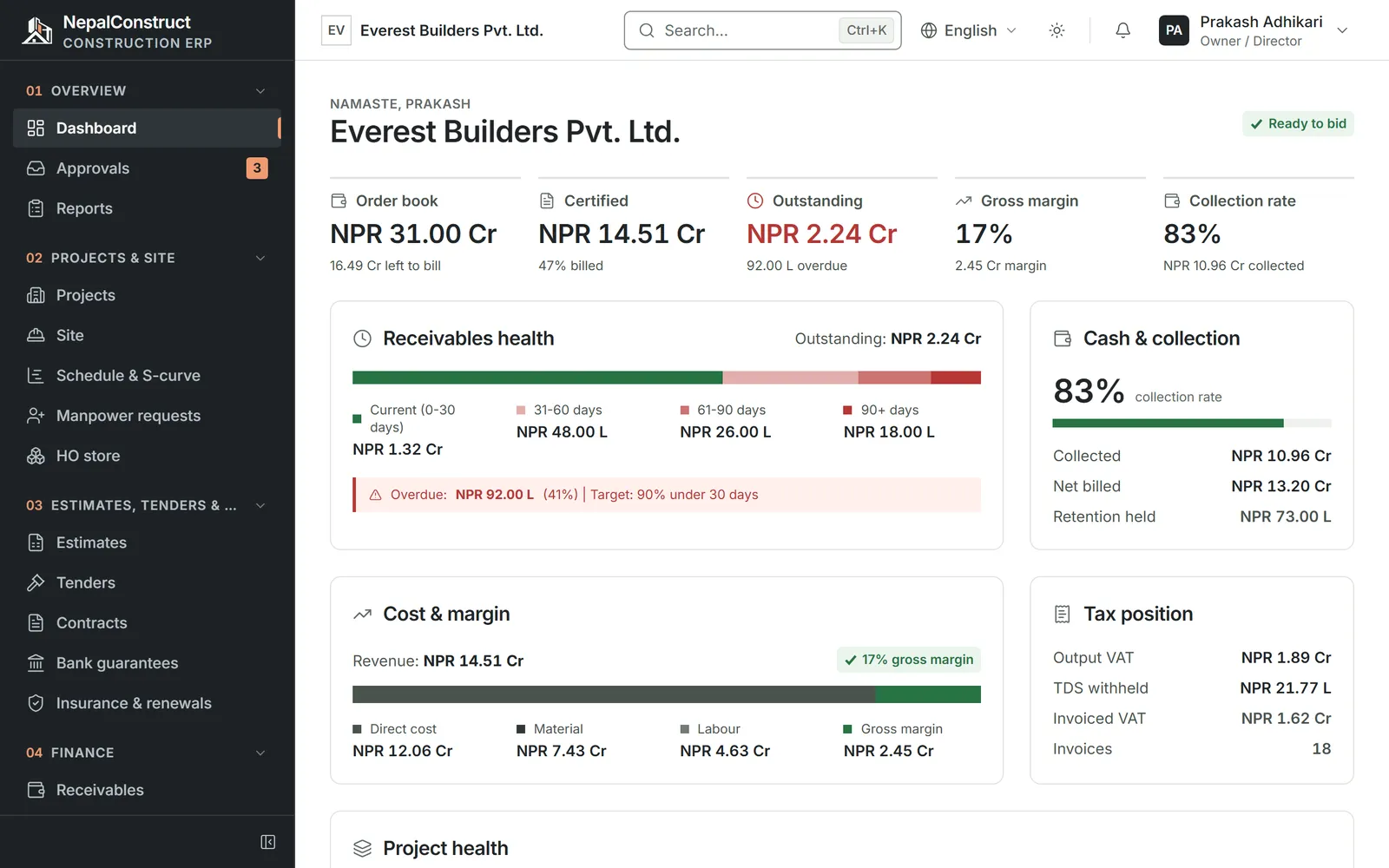
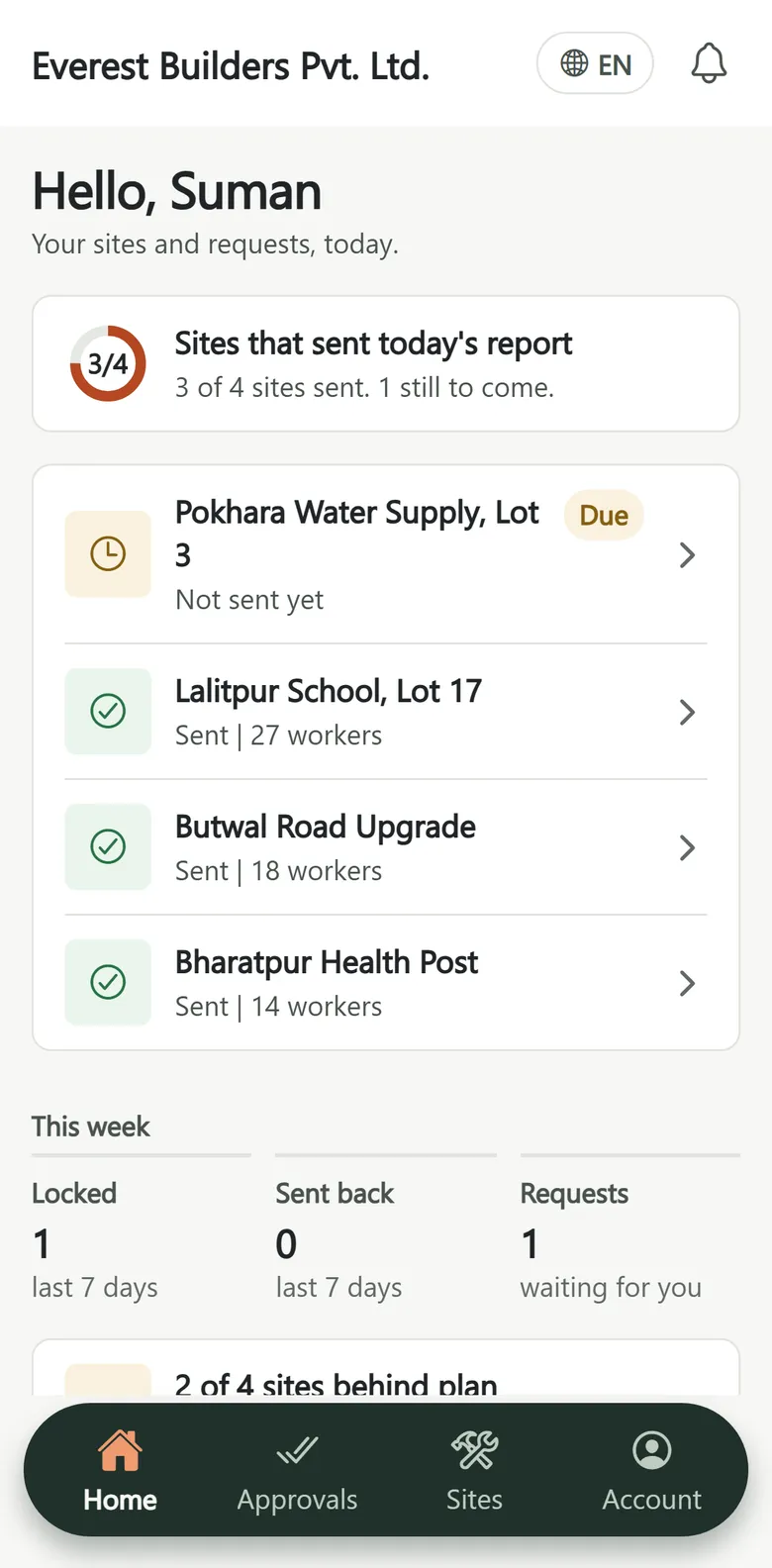
Office work needs a big screen and a keyboard; site work needs a phone in one hand. Each person gets the app that fits the job, and everyone sees the same figures.
WEBEstimates and tenders, the measurement book, running bills, the stock ledger, payroll, reports and settings. Made for long tables and careful checking.
 APP
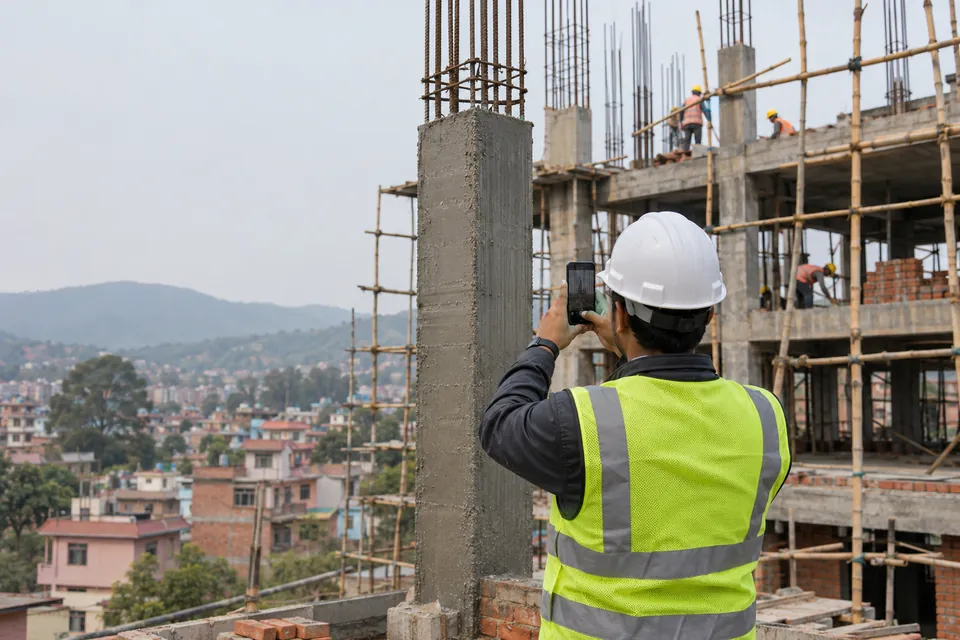
Daily reports with photos, attendance, stock counts, material requests and approvals. One app, with a home screen for each job: site, store, driver, machine operator and worker.
Both apps work from one set of data, so a report sent from the site shows at the office as soon as it is sent.
The web app runs the whole system, from the first estimate to the last bill. These screens are from the real app, with sample data.
Build the BOQ by section, with quantity, unit, rate and amount, and keep each revision.
Estimates & tenders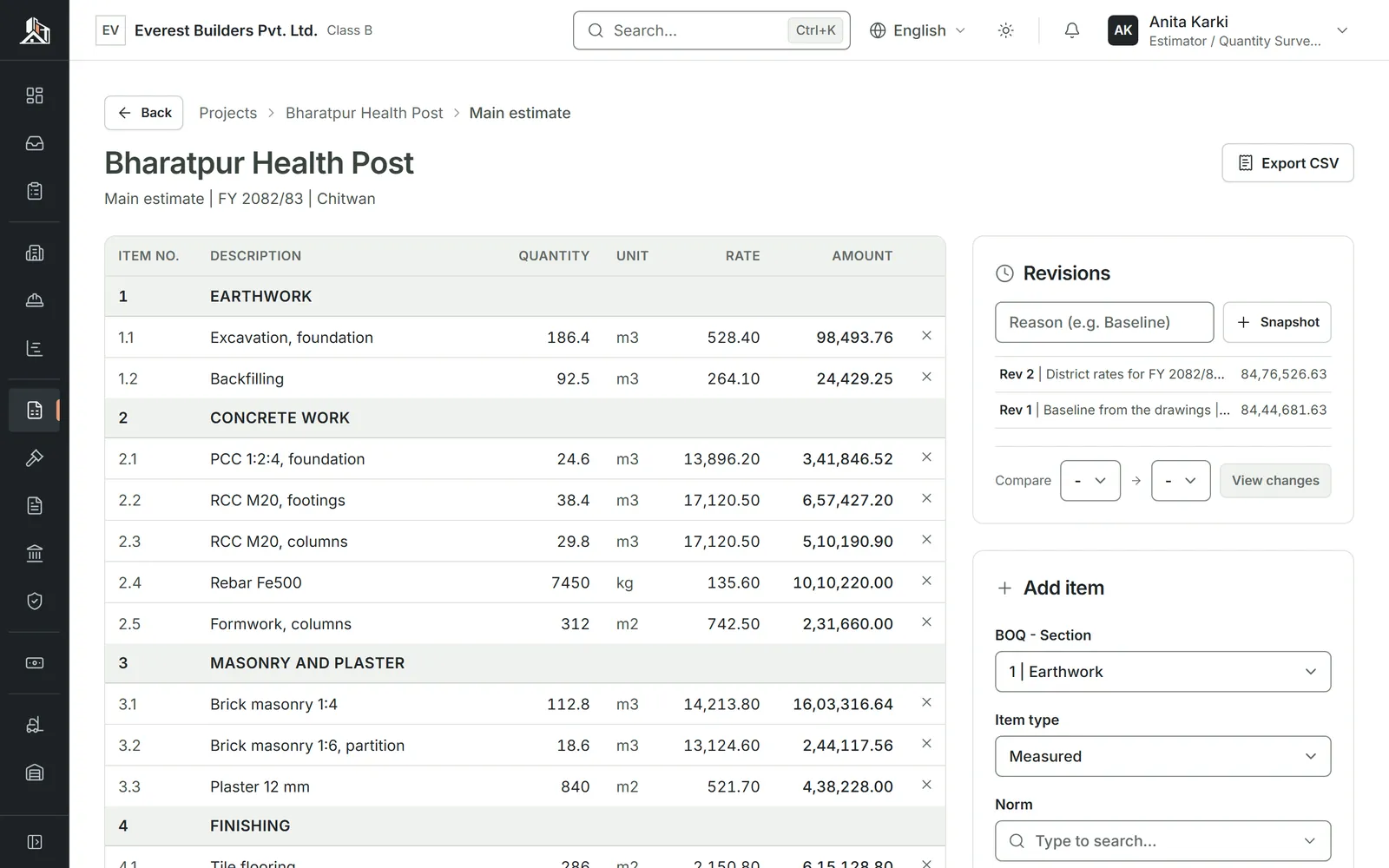
Each bill's gross work value, VAT, TDS, retention and net payable, and the advance recovered so far.
Measurement & billing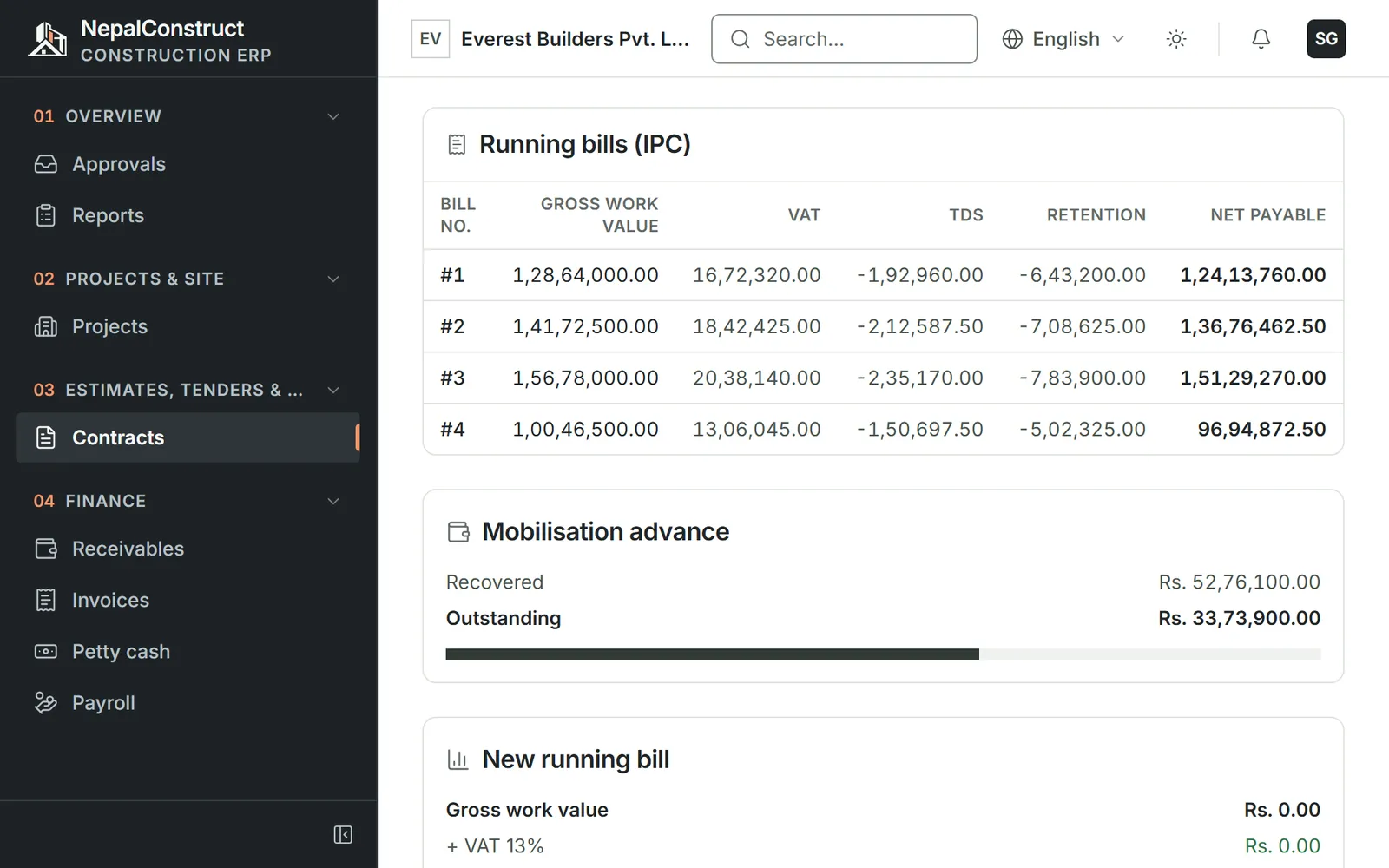
The report sent from the phone, with its workers, work lines and two review steps.
Site operations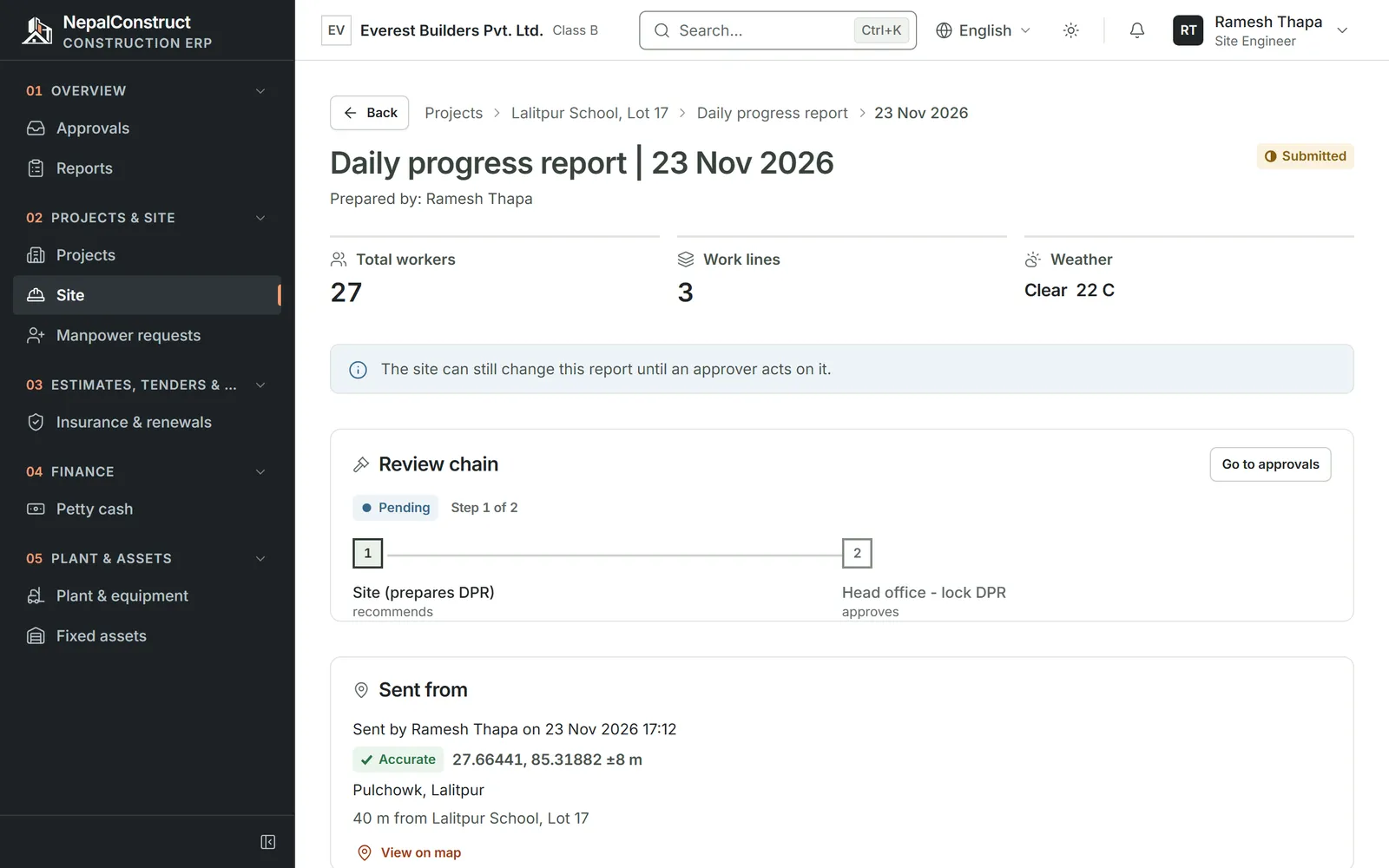
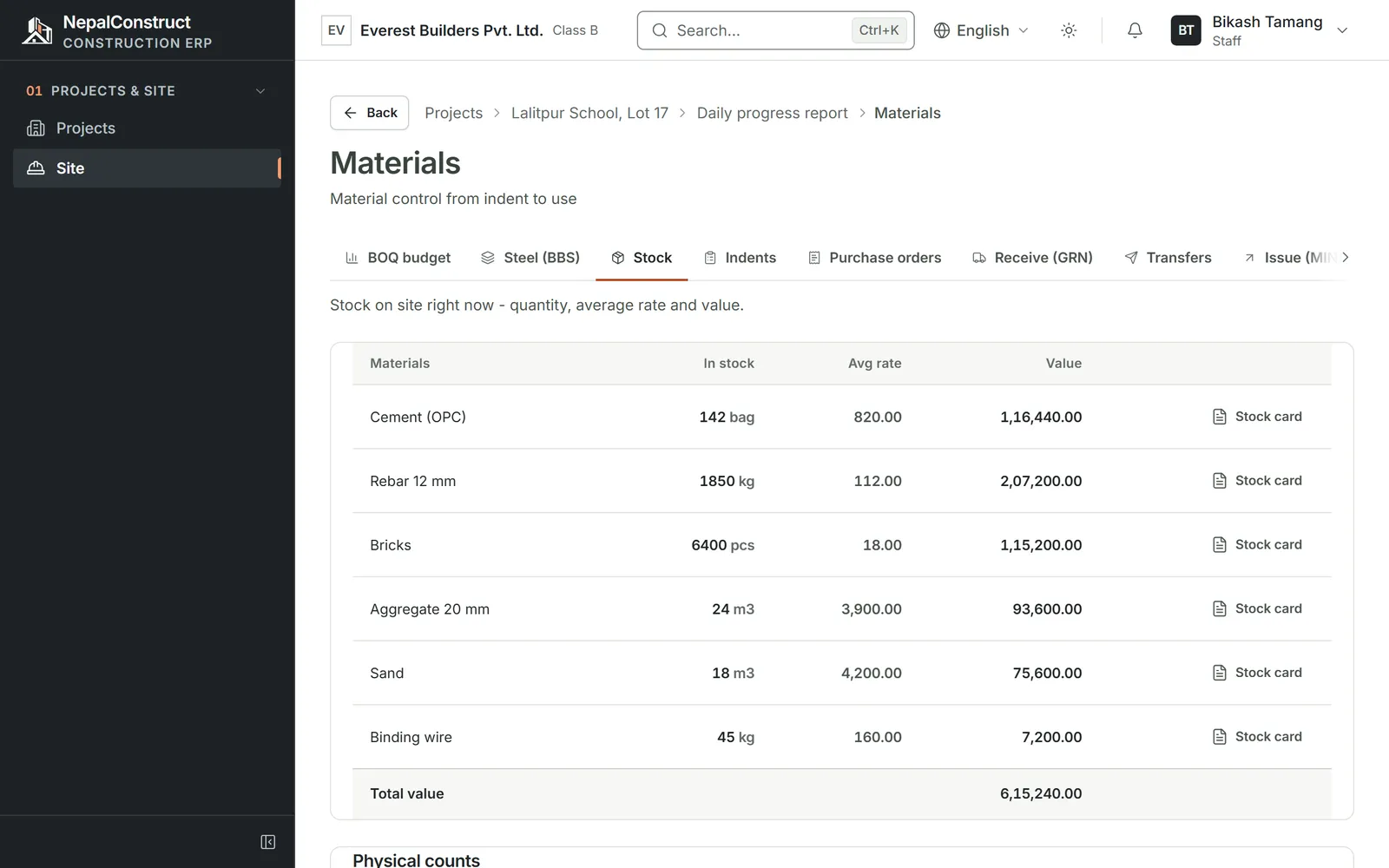
Who approves what by amount band, and which step a request skips and why.
Approvals & organisation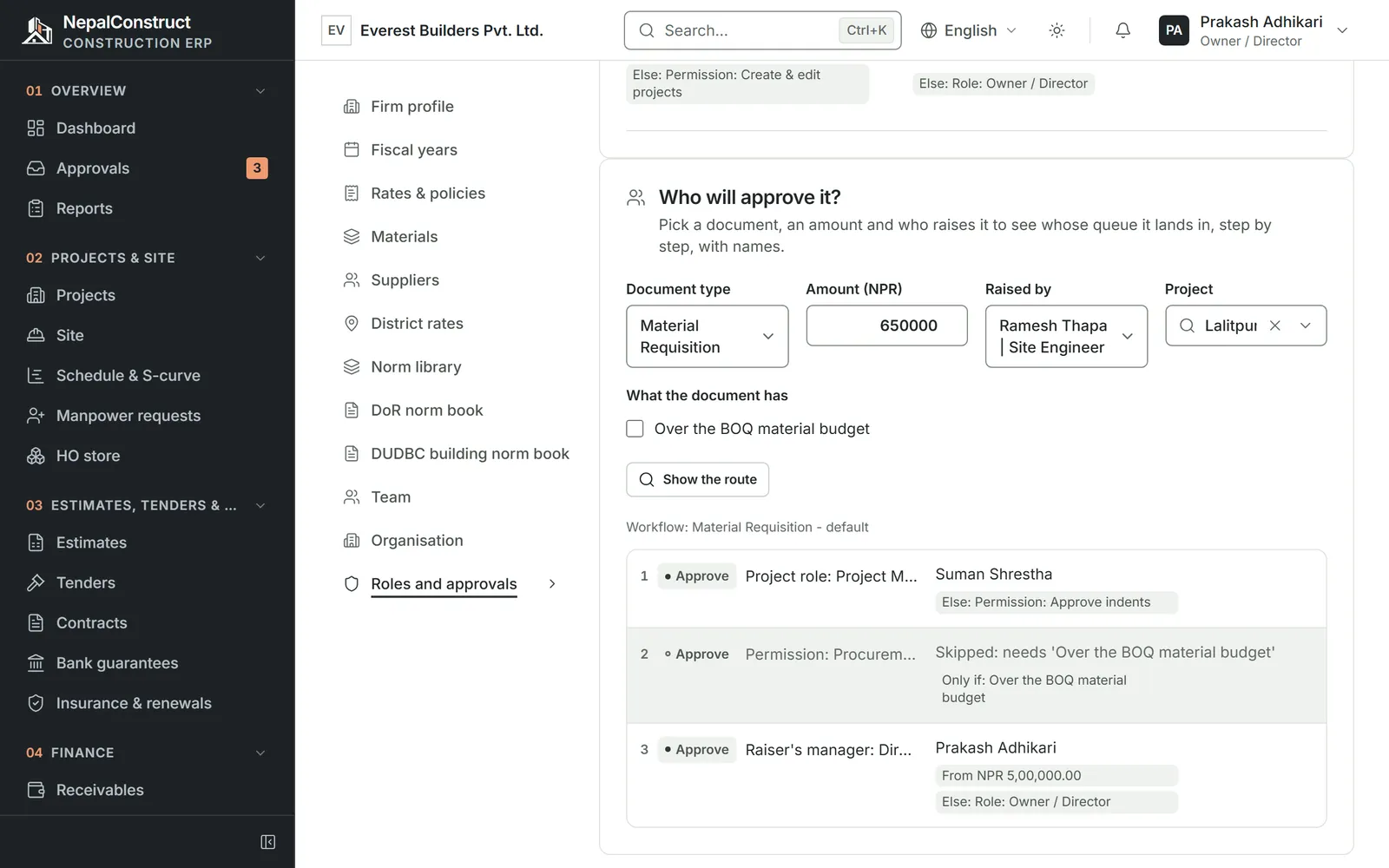
Order book, certified revenue, direct cost and gross margin for each project.
Analytics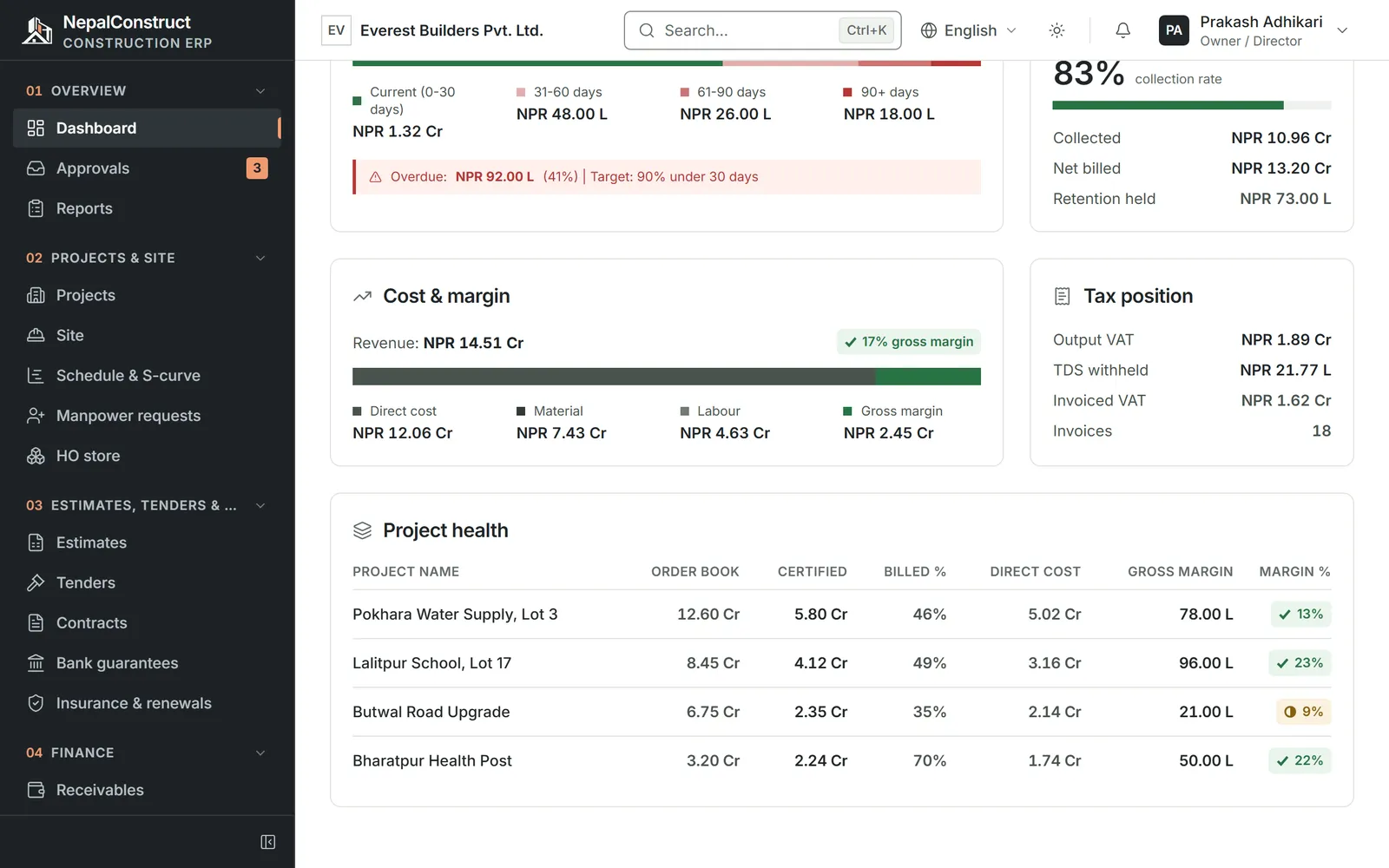
Screens show sample data.
A home screen for each job, in Nepali by default. Site staff log in with a phone number and a PIN.
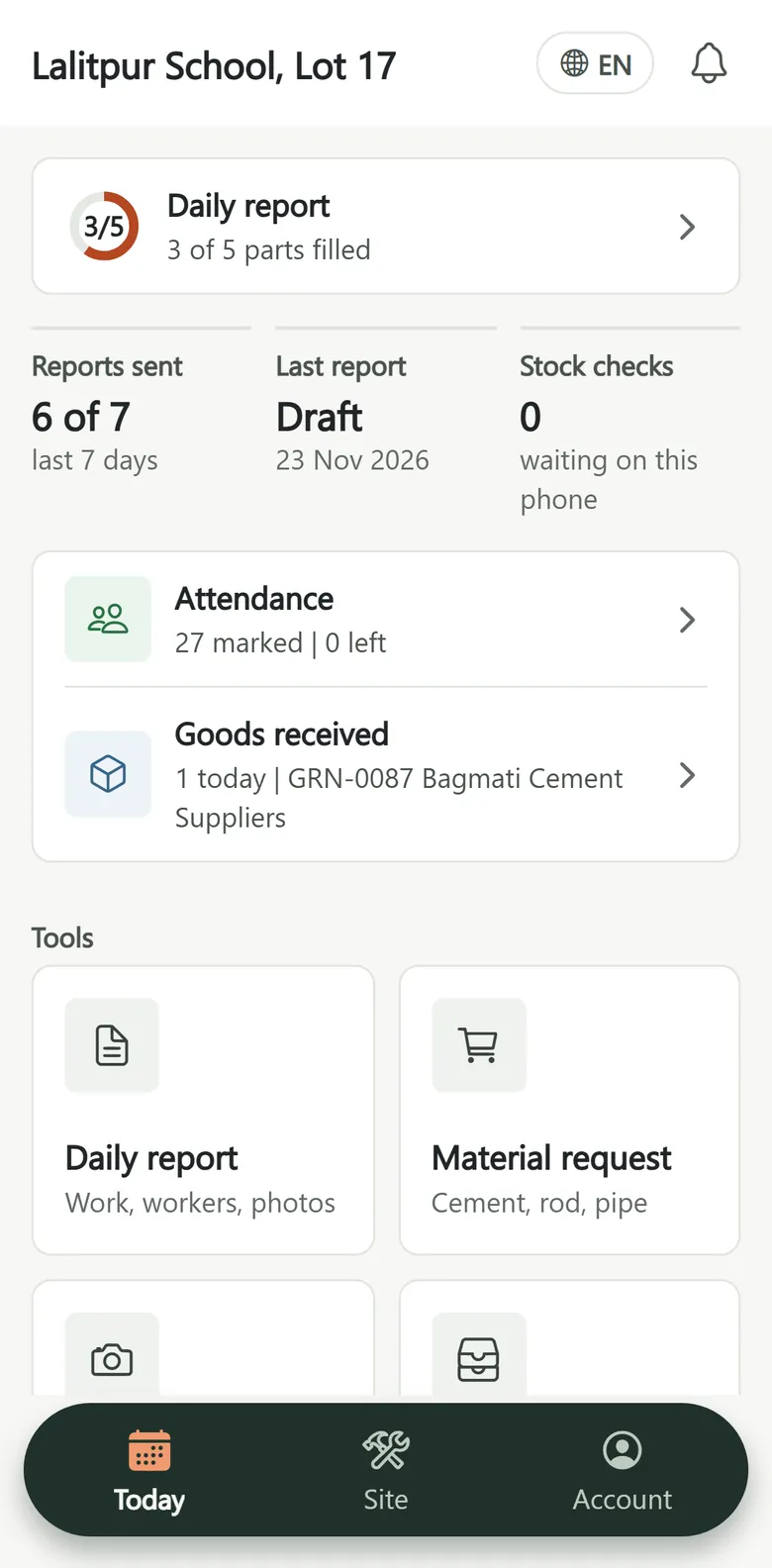
What is left of today's report, this week's reports, attendance and goods received.
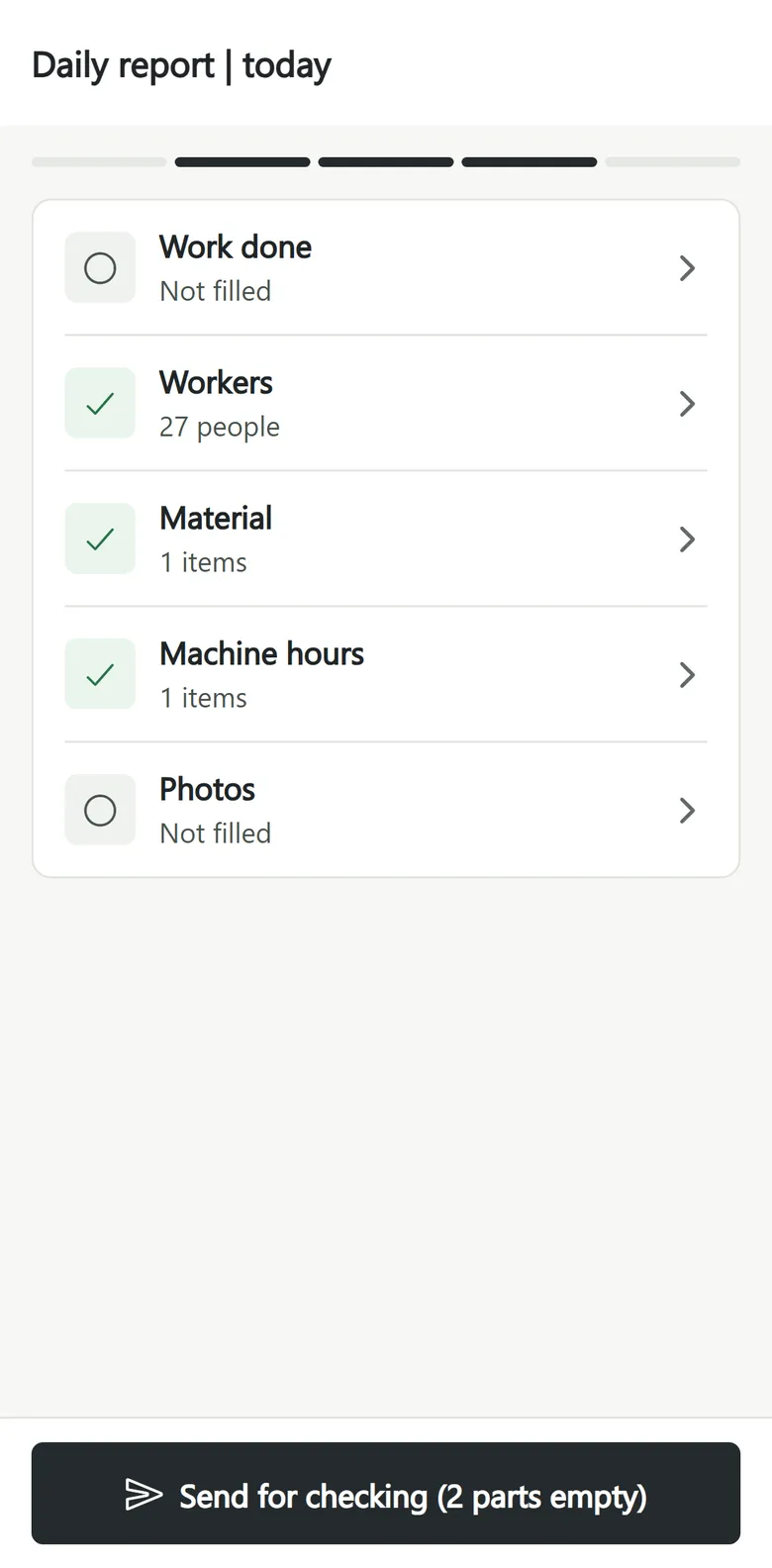
Work against BOQ items, workers, material, machine hours and photos, then send.
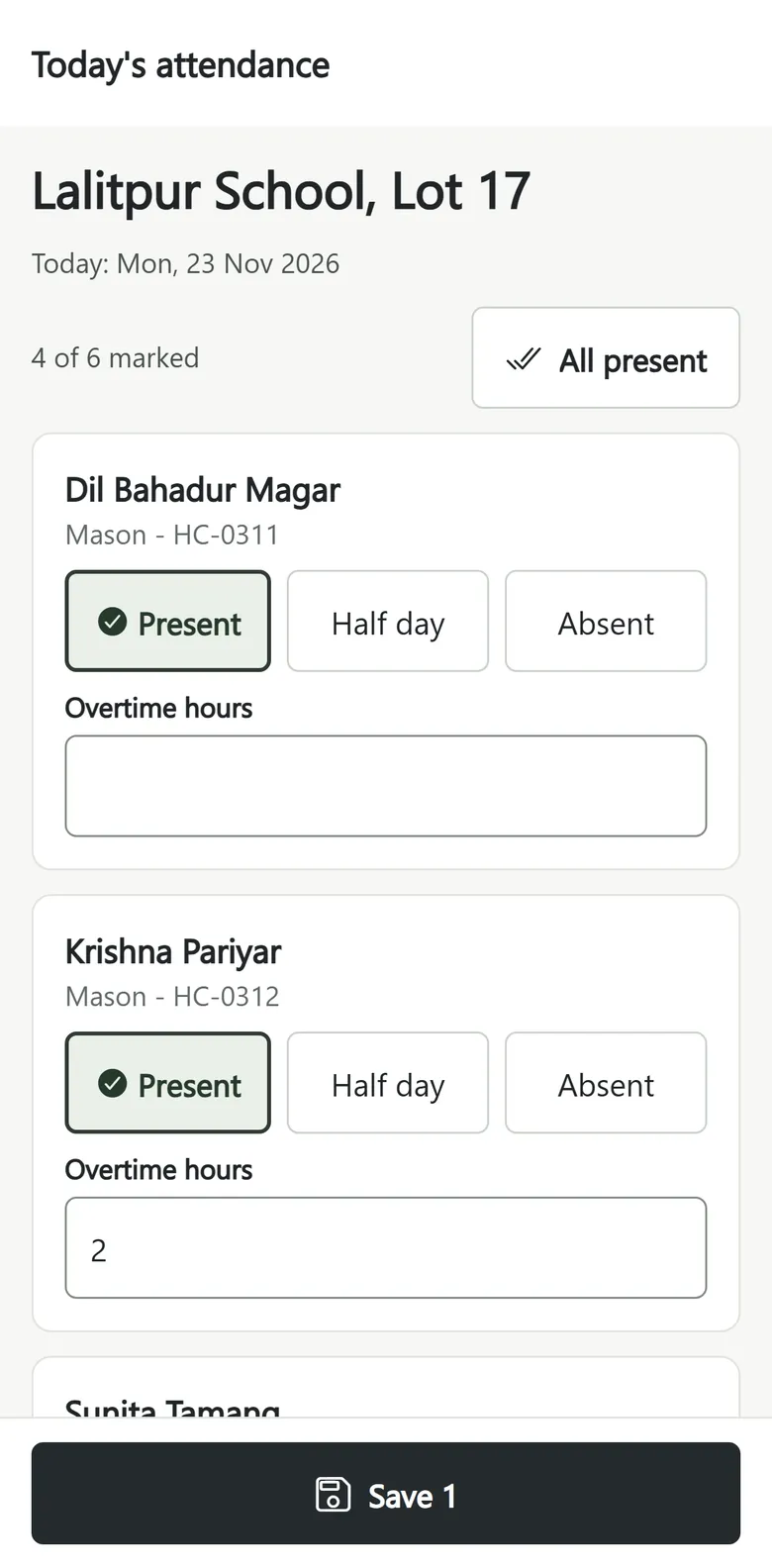
Present or half day, with overtime hours. Saves without signal.
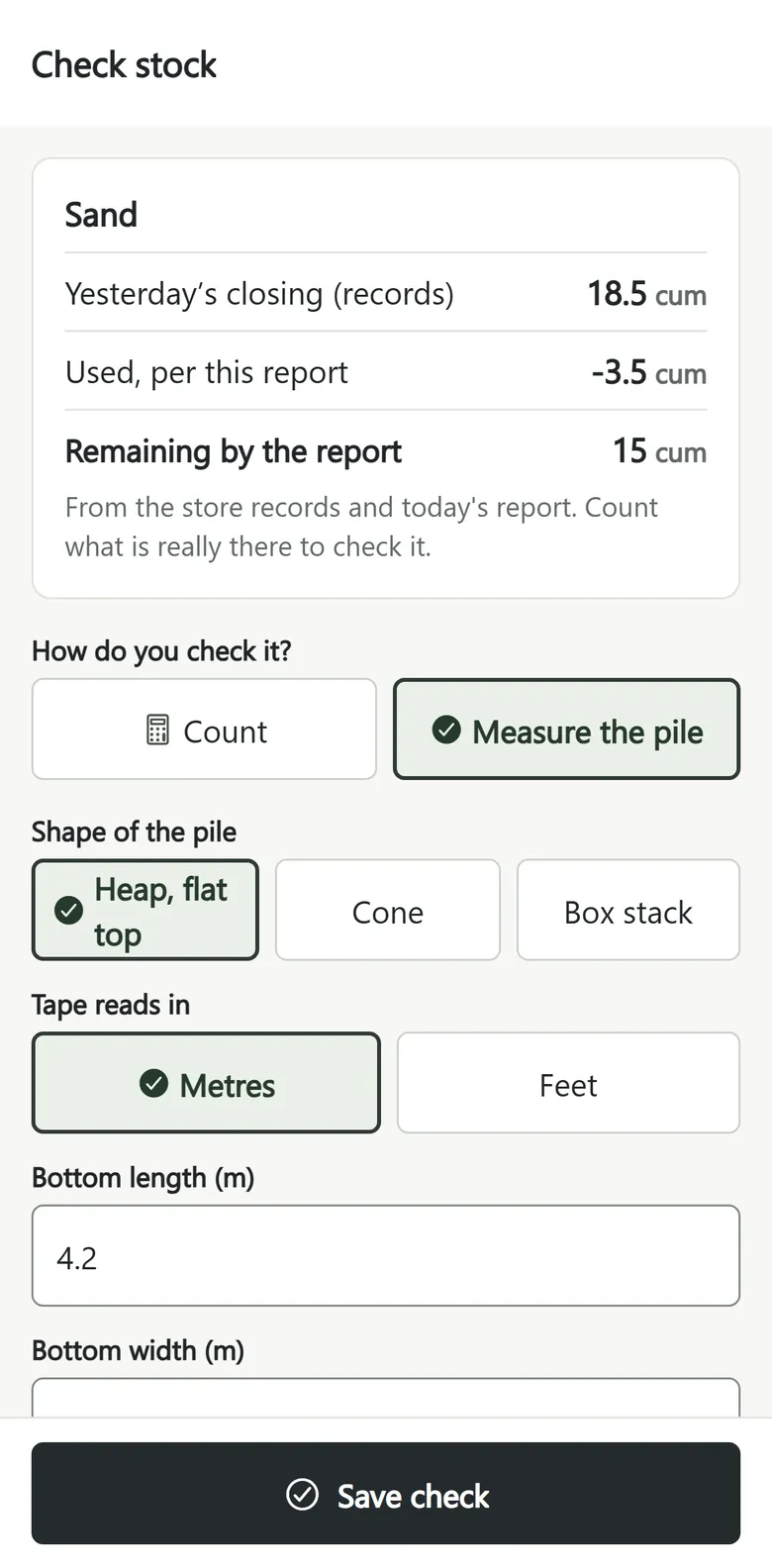
Count what is left, or measure a sand pile in metres, against the records.
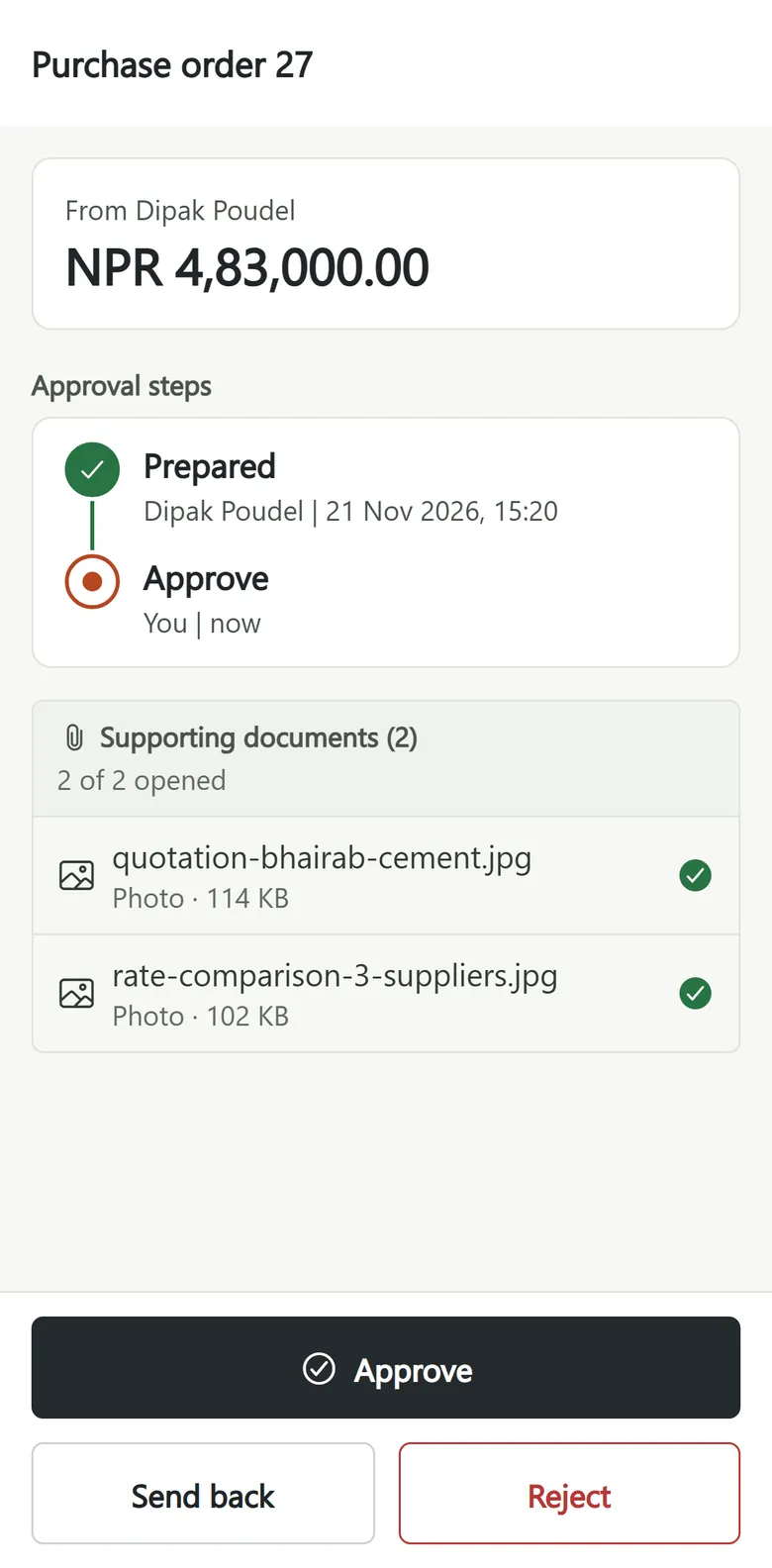
Open the supporting documents, then decide. If the signal drops, the decision waits on the phone.
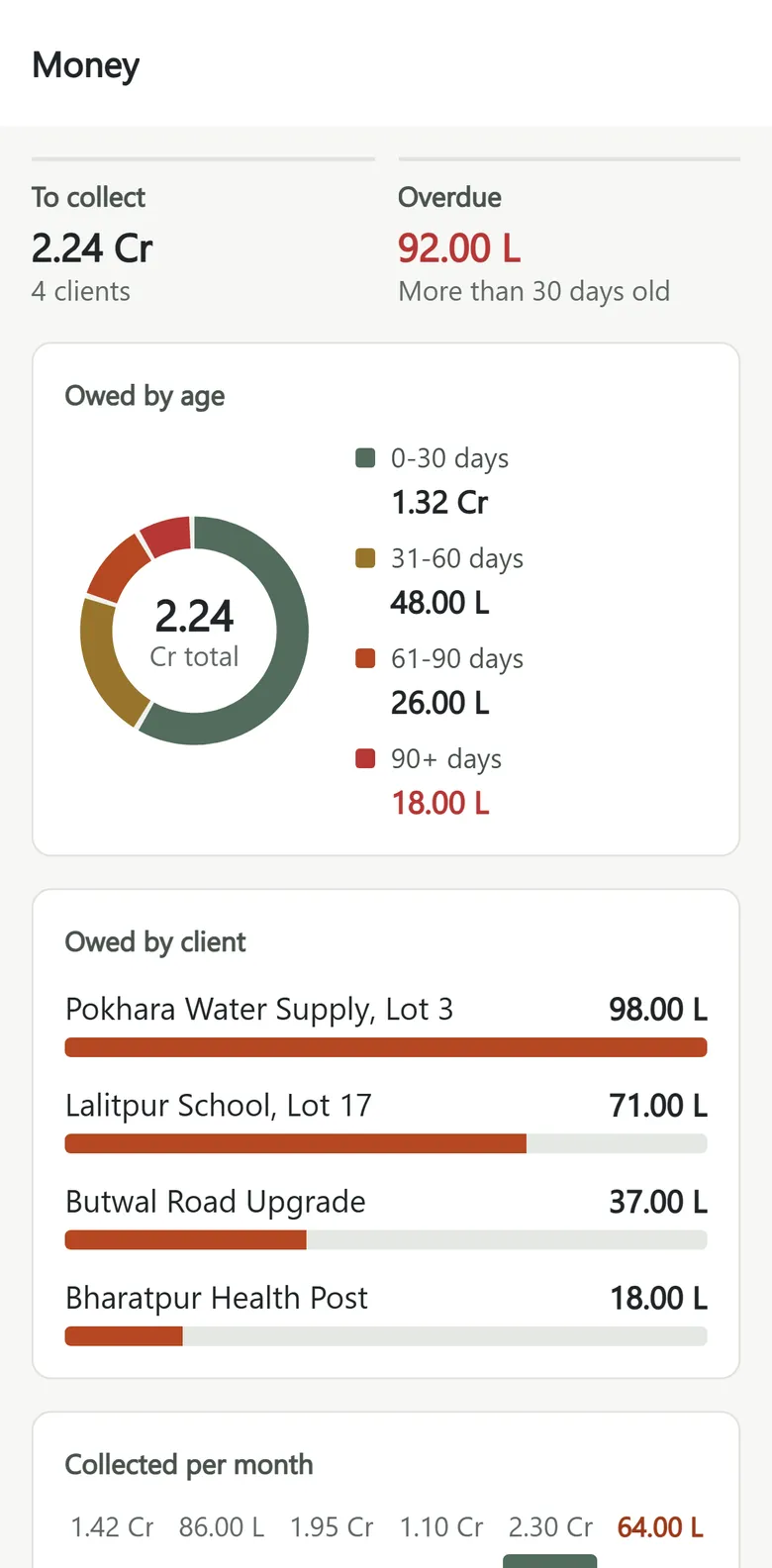
What each client owes and for how long, for the owner and accounts.
Both apps work from the same records. The site's work happens on the phone; the office's work stays on the web.
| Task | Web app | Phone app |
|---|---|---|
| Estimates, BOQ and rate analysis | Build and revise | Not on the phone |
| Tenders and bid eligibility | Check and prepare | Not on the phone |
| Measurement book | Record and check | Not on the phone |
| Running bills: VAT, TDS, retention | Prepare and check | Money to collect only |
| Daily progress report | Review and sign off | Fill in and send; sending needs signal |
| Attendance | See the attendance cards | Mark it, also without signal |
| Daily stock check | Review the gaps | Count and measure, also without signal |
| Material requests | Raise, source and approve | Raise and approve |
| Approvals | Every document | Decide, also without signal |
| Driver and machine day logs | Logsheets and reports | Driver days, also without signal |
| Settings, roles and approval routes | Set them up | Not on the phone |
Hill sites lose signal. The phone app keeps this work on the phone and sends it by itself when the signal returns, so nobody types it in again.
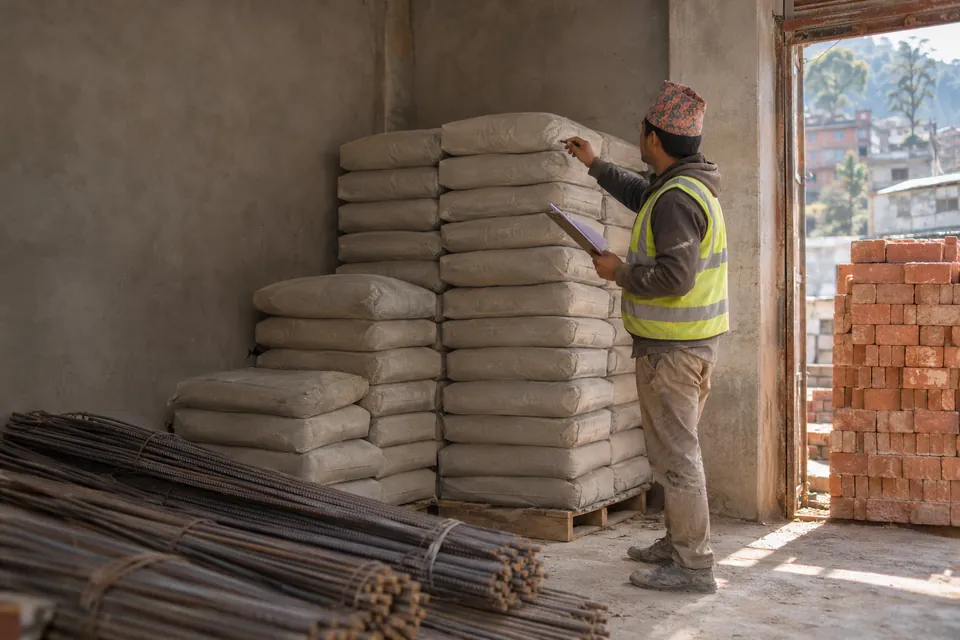
Workers present or half day, with overtime.
Counts or measures, with live photos and a short video as proof.
What you saw on a site visit.
A decision made on the road is sent when the signal returns.
The driver's day, for the logsheet.
The figures saved last time stay readable.
Unsaved edits stay on the phone if the app closes, but sending needs the server.
One daily report, followed from the site to head office. The recording is the real phone app with sample data.
Site engineerPhone
Work against BOQ items, workers, materials, machine hours and photos. Once it is sent, its photos can no longer be swapped or deleted.
Project managerPhone or web
Reads the report and recommends it to head office.
Head officeWeb or phone
Approves the report and locks it, so it can no longer change.
OwnerWeb and phone
Progress against the BOQ is worked out from the reported quantities, never typed in by hand.
Short answers, about what is built today.
NepalConstruct is construction management software for Nepali contractors that comes as two apps. The web app runs in a browser for office work such as estimates, running bills and accounts. The phone app, built for Android and iOS, is for site work: daily reports, attendance, stock checks and approvals.
Not yet. The phone app is built for Android and iOS, but it is not in the app stores yet. Book a demo to see it working on a phone. The web app also works in a phone's browser.
Partly. Attendance, daily stock checks with photo and video proof, site visit notes, approval decisions and driver days are saved on the phone and sent when the signal returns. The last saved figures stay readable too. The daily report needs a connection to send, but unsaved edits stay on the phone.
Yes. Both apps read and write the same database, so the owner, the accountant and the site engineer see the same numbers. The phone never works out money on its own: amounts come from the server, and progress is worked out from the reported quantities against the BOQ.
Everyone, each with their own home screen: owner, office staff, project manager, site engineer, store keeper, HR, driver, machine operator and worker. Site staff log in with a phone number and a PIN, office staff with their email. What each person sees follows the role the firm gives them.
The app lock is on by default, so the app asks for Face ID or the phone's own lock. Two-step sign-in with an authenticator app is optional, a PIN locks after repeated wrong tries, and you can sign out of every device at once.
Yes. Every screen of the web app and the phone app is in Nepali and English, and both open in Nepali by default. Dates follow the language: Bikram Sambat in Nepali, AD in English. Fiscal years, which run from Shrawan to Ashadh, and attendance months always use Bikram Sambat.
We answer against how your firm works.
Ask usSet up your company profile, a few projects and roles, and start estimating the same day. Or book a demo and see it on a sample firm first.