For store keepers
Construction store software for store keepers
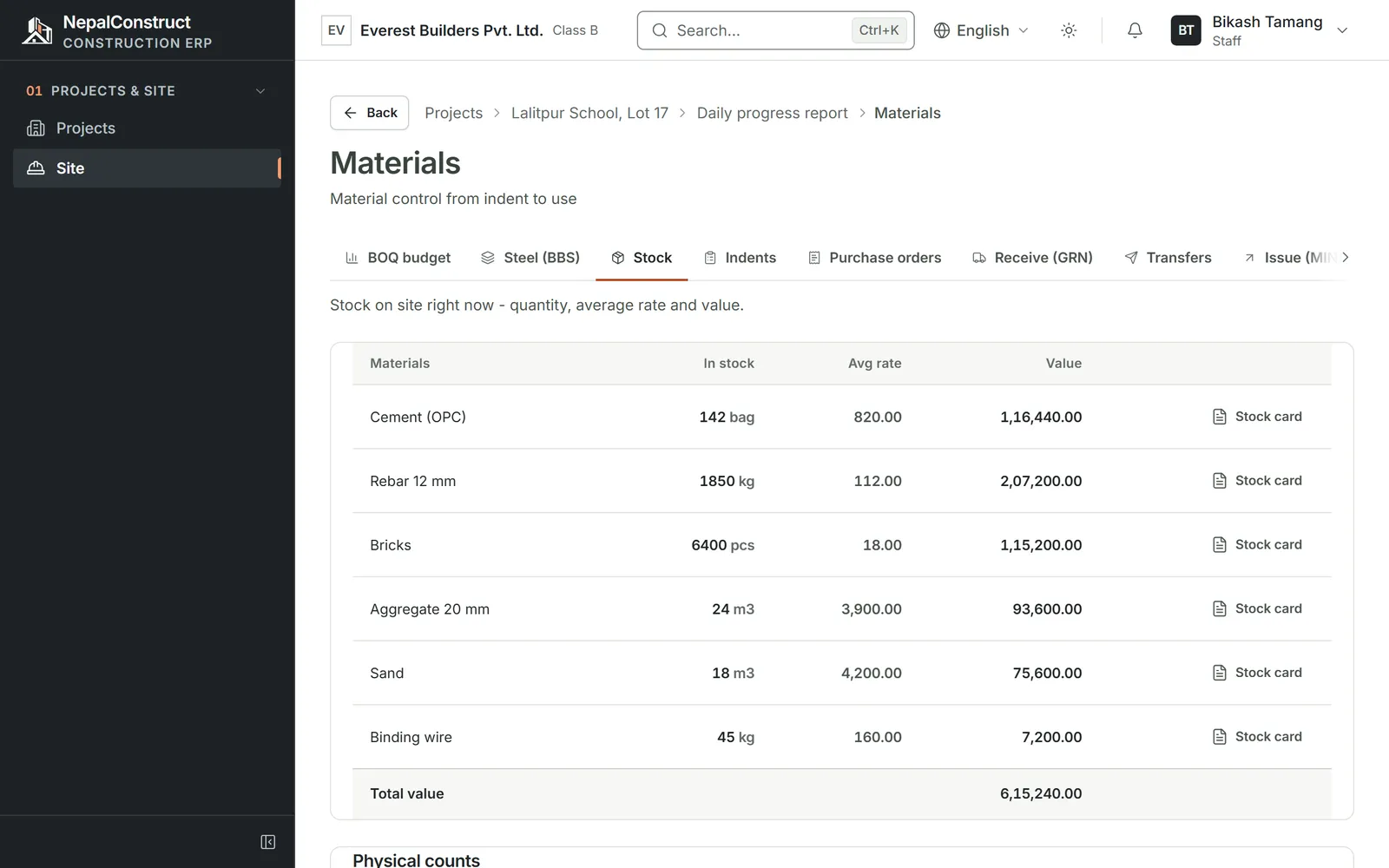
NepalConstruct shows a store keeper what the site holds, what is on the way, and where each material request stands. On the phone they send requests and check stock; on the web they record goods received (GRN) against the supplier's challan and issue material to the work. Every receipt and issue goes into a stock ledger that keeps every entry.
- Requests and stock on the phone
- GRN and issues on the web
- Works on
- Phone and webPhone app built for Android and iOS, store release coming
- Sends for approval
- Material requests, brick countsTo the project manager
- Records
- GRN, issues, returns, transfersOn the web, straight into the stock ledger
- Approves
- NothingSomeone else decides on requests and counts
Which screens does a store keeper use?
Requests and stock on the phone, receipts and issues on the web. One ledger behind both.
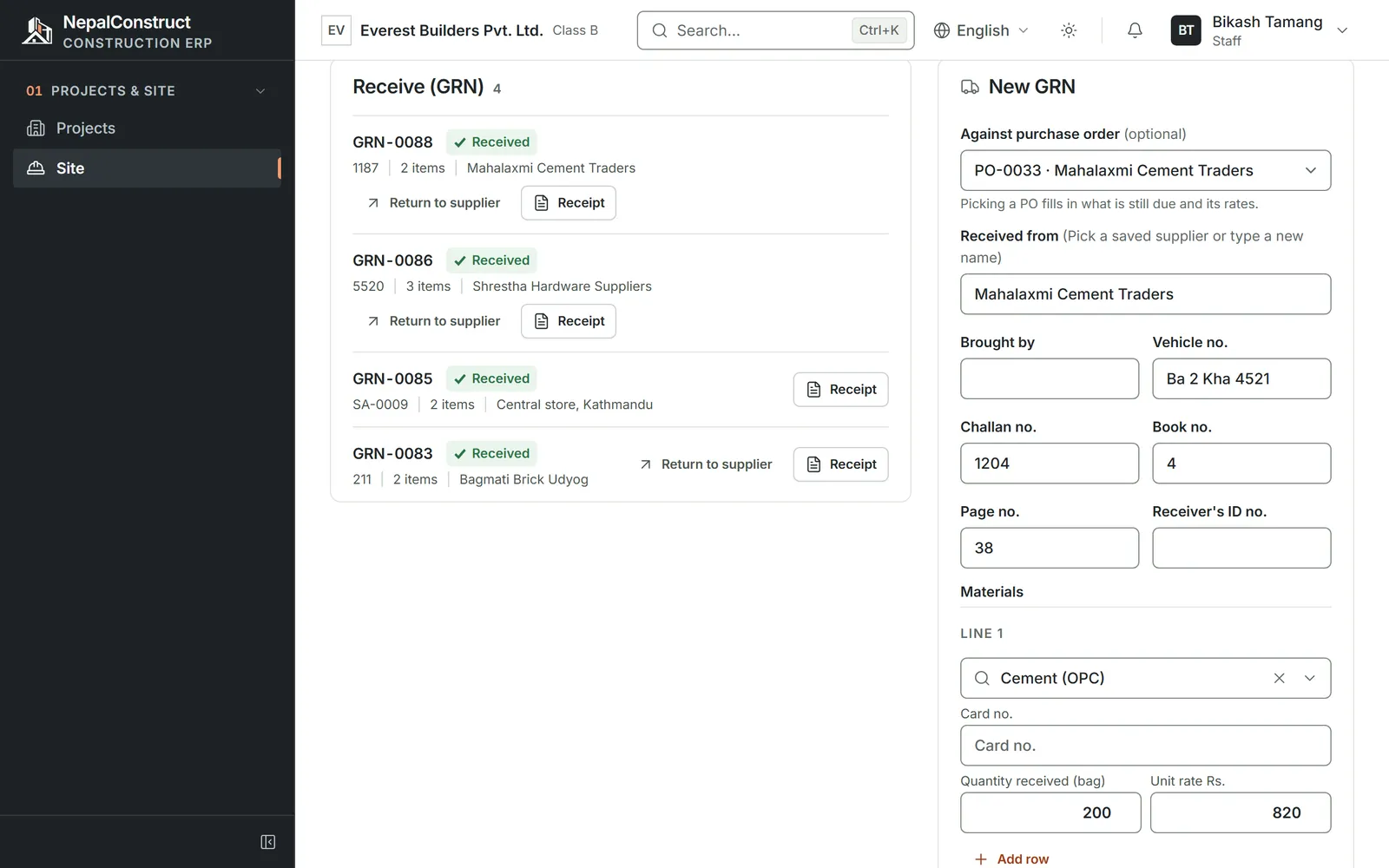
Goods received (GRN), on the web
Picking the open PO fills in the supplier, what is still due and the rate; add the vehicle, challan and book numbers. GRN is not on the phone yet.
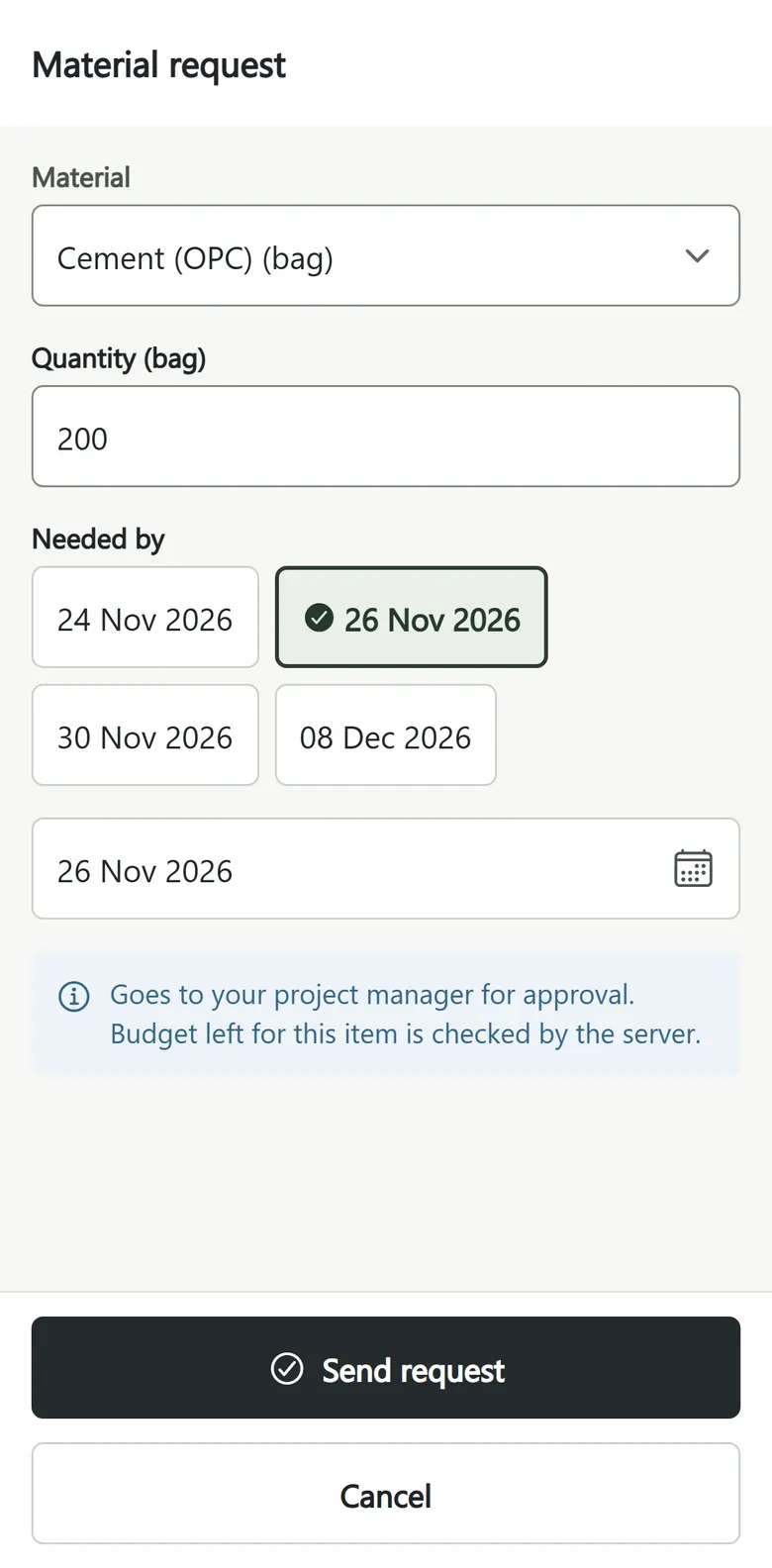
Material request, on the phone
The material, the quantity in its unit, and the day it is needed. Sending needs a signal.
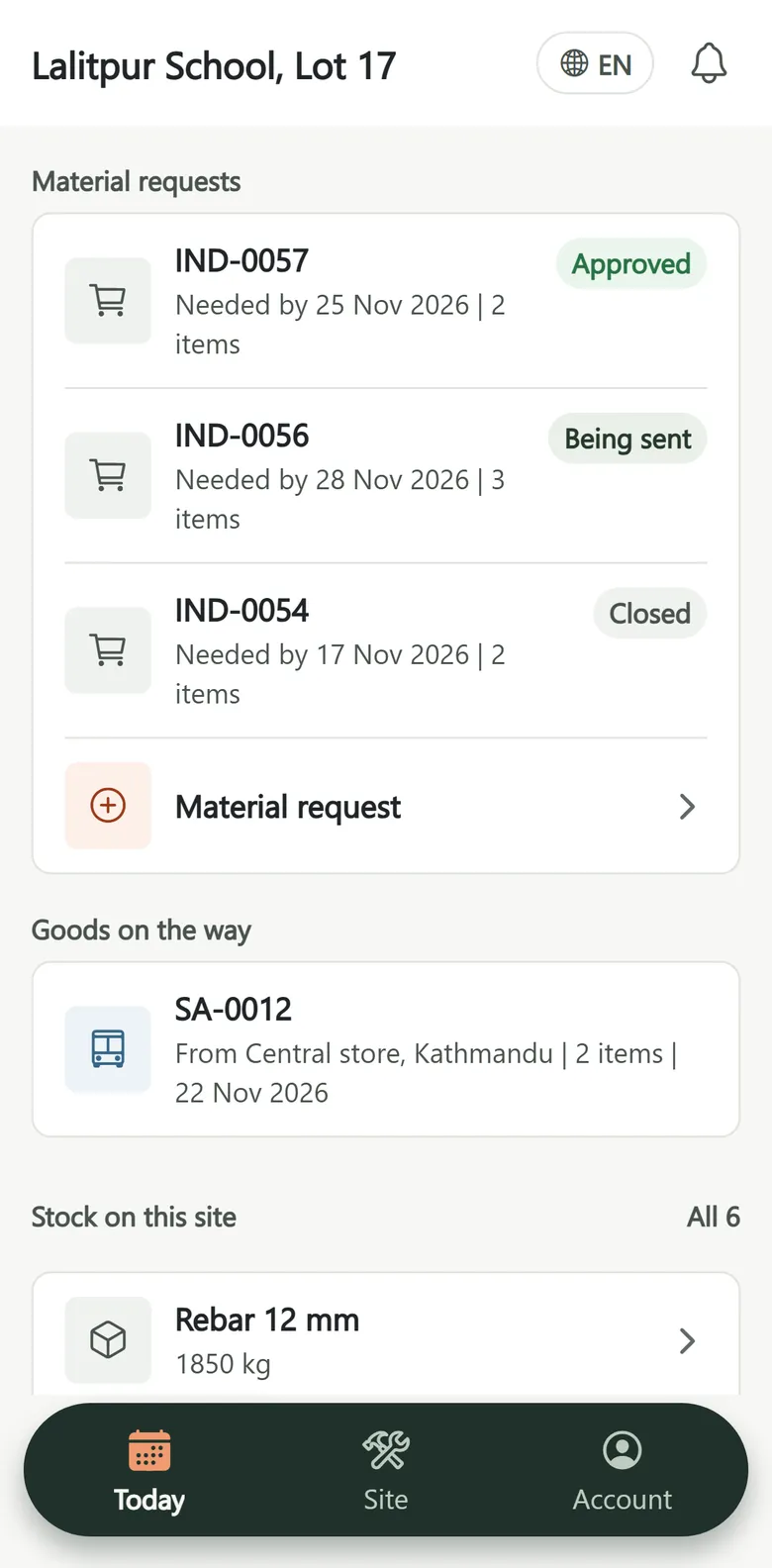
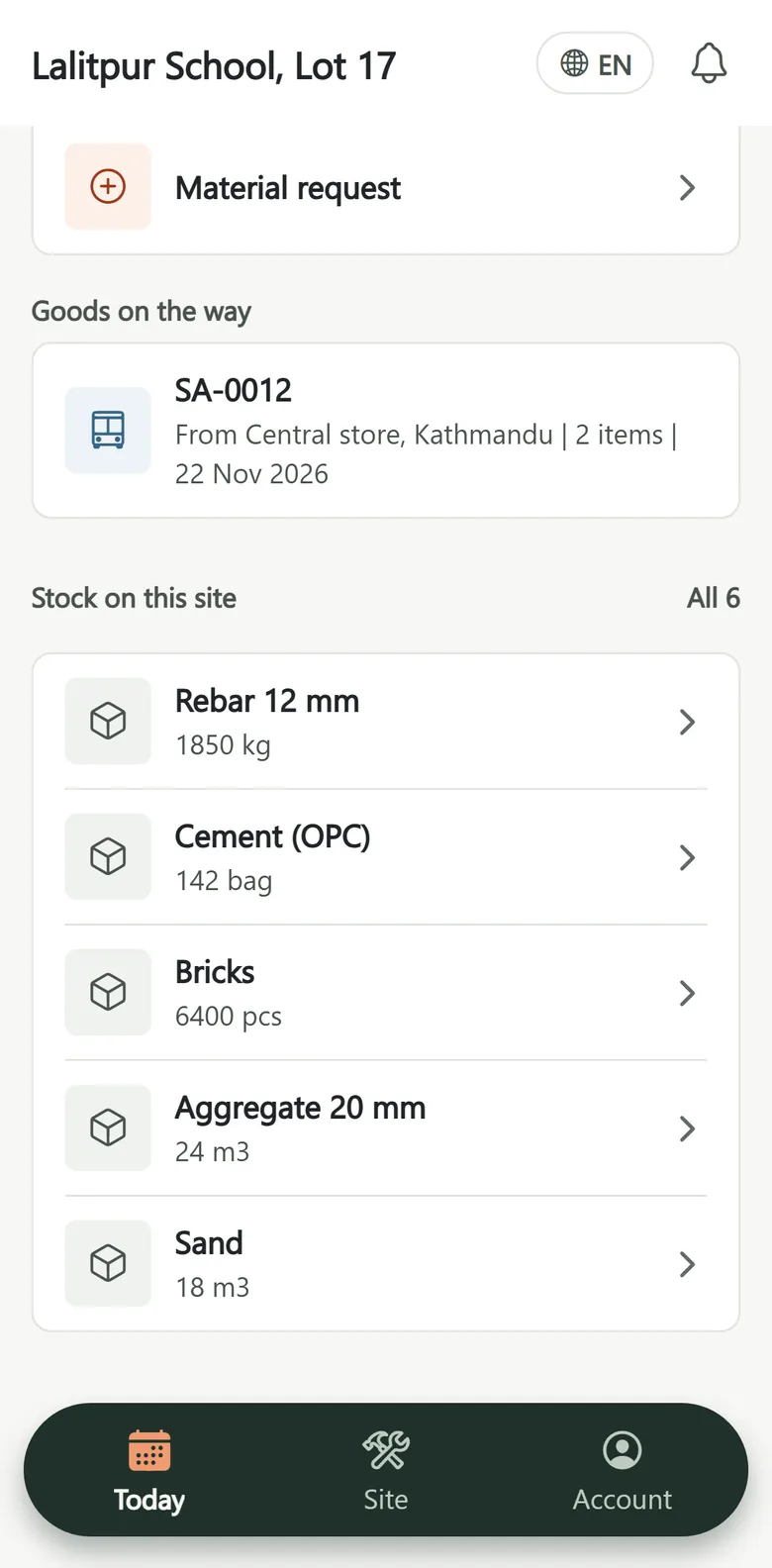
Goods on the way and site stock
Transfers on their way to this site, and the site's five largest items by value.
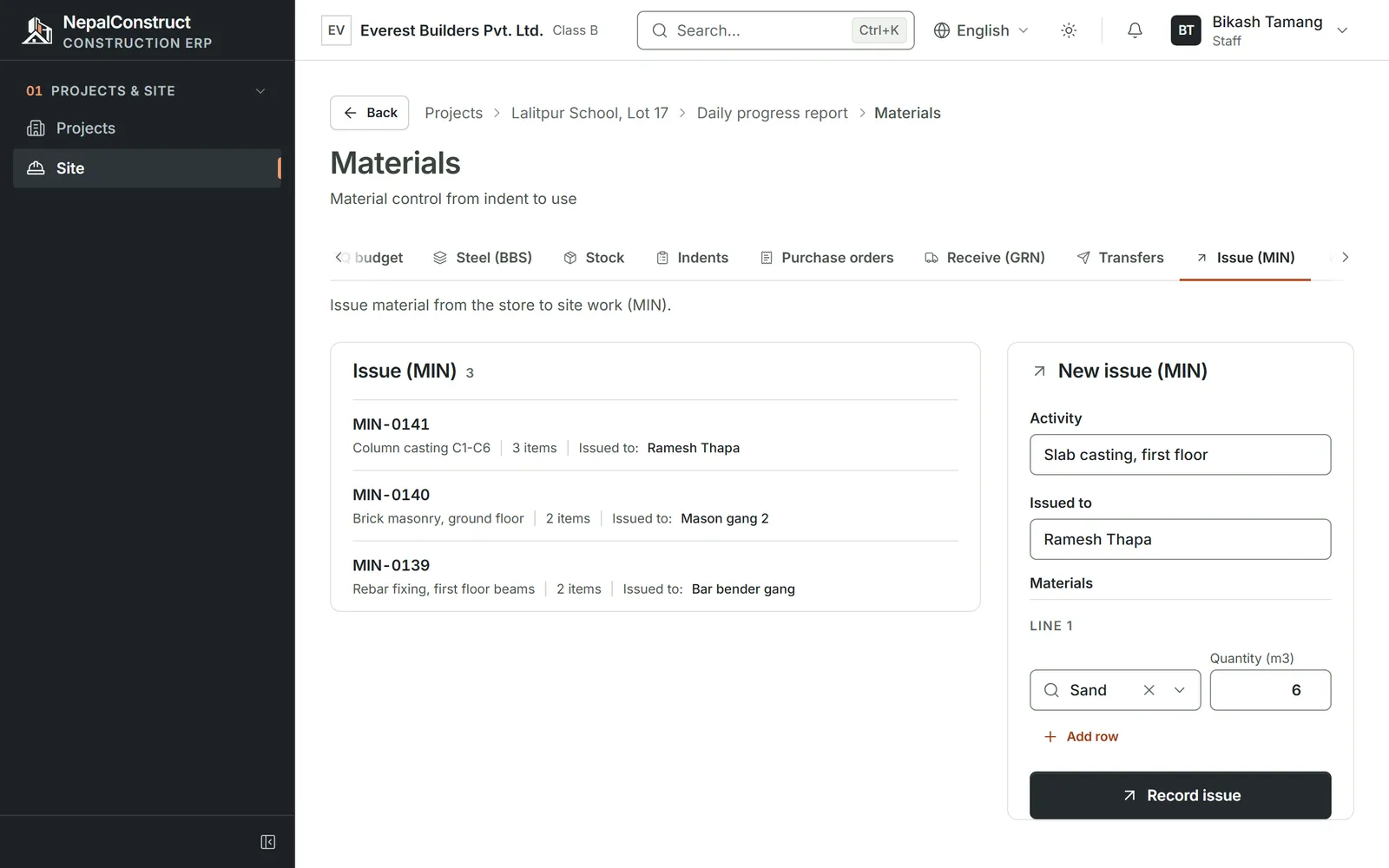
Material issue (MIN), on the web
For which work, to whom, and how much. The server refuses an issue larger than the stock.
What does a store keeper send for approval?
In the starter role a store keeper approves nothing. They send requests and counts, and someone else decides. Whoever raised or edited a document can never approve it.
What a store keeper sends, and where it goes next
- Material requestYour stepRaises and sends itThenThe site's project manager approves, then procurement decides where the material comes from
- Brick count saved to stockYour stepCounts and sends itThenStock is adjusted only after someone who approves requests signs it off
- Transfer without a requestYour stepPrepares the shipping adviceThenThe sending site's PM, and procurement from NPR 1,00,000. Nothing leaves before approval
- Transfer arrivingYour stepRecords what arrived and what was accepted, line by line (web)ThenShort or damaged goods are booked as transit loss
- GRN and issue (MIN)Your stepPosts it on the webThenNo approval: straight into the stock ledger, which keeps every entry
The store keeper's step in the starter approval chains. Your firm can change any chain.
Whoever dispatched a transfer cannot also confirm that it arrived.
What does a store keeper's day look like?
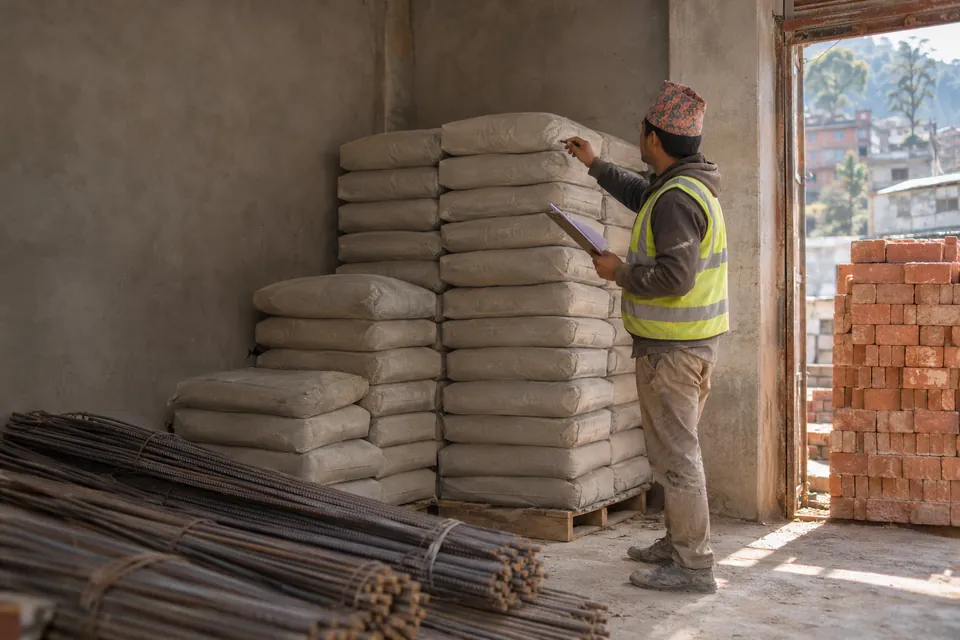
The site's news on the phone in the morning, receipts and issues on the web during the day, tomorrow's request in the evening.
Check the Today screen
The phone's Today screen shows the site's material requests and their status, the goods on their way to this site, and its main stock.
Materials & storeRecord the delivery (GRN)
When the truck arrives, record the GRN on the web against the supplier's challan. Picking the open purchase order fills in what is still due and its rate, and the accepted quantity goes into the stock ledger.
Materials & storeIssue material to the work (MIN)
Record which work the material is for and who took it. The store cannot issue more than it holds.
Materials & storeRequest tomorrow's material
On the phone, pick the material, the quantity and the day it is needed, and send. The request goes to the project manager for approval, and the server checks the BOQ budget left.
Materials & store
Who does a store keeper work with?
A request starts at site, material leaves through the store, and someone else checks each step.
- 01
Site engineer
Puts the material used on the daily report; the store's issues are checked against it.
About this role - 02You
Store keeper
Receipts, issues, returns, transfers and material requests.
- 03
Project manager
Approves requests, counts and transfers without a request; reviews stock differences.
About this role - 04
Head office procurement
Decides whether approved material comes from own stock, a transfer or a purchase, approves POs and runs the central store.
About this role
Modules a store keeper uses
- Materials & storeRequests, POs, GRN, issues, returns and the stock ledger.
- Site operationsMaterial used on the daily report, matched against what the store issued.
- Approvals & organisationWho approves requests, counts and transfers, and up to what amount.
- Estimates & tendersThe BOQ that sets each material's budget.
Questions people ask
Short answers, about what is built today.
01Can a store keeper record a GRN on the phone?
Not yet. GRN, issues and returns are on the web, which also opens in a phone's browser. The phone app shows the site's stock, material requests and goods on the way, and sends requests.
02Does a stock count change the stock by itself?
No. The count goes for approval, and only when someone who approves material requests signs it off does one adjustment post to the stock ledger. The person who counted can never approve their own count.
03Can a store keeper approve their own request or count?
No. Whoever raised or edited a document can never approve it, and the starter store keeper role holds no approval rights. Your firm can give or remove sections for each person.
04What if a transfer arrives short or damaged?
The receiving store records what arrived and what it accepted, line by line. Only the accepted quantity enters its stock, and the gap is booked as transit loss. The person who dispatched the goods cannot confirm their arrival.
05Can the store issue more than it holds?
No. The server refuses an issue larger than the stock on hand at that site. Each issue (MIN) names the work it is for and the person who took the material, and it goes into the stock ledger as a new entry.
06How is cement and rebar use matched?
The reconciliation tab compares the use expected from the daily report's work and the norms with what the store issued, and flags materials over the wastage limit. Our guide explains the method.
We answer against how your firm works.
Ask usStart estimating the same day
Set up your company profile, a few projects and roles, and start estimating the same day. Or book a demo and see it on a sample firm first.