For site engineers and overseers
Daily site report app for site engineers
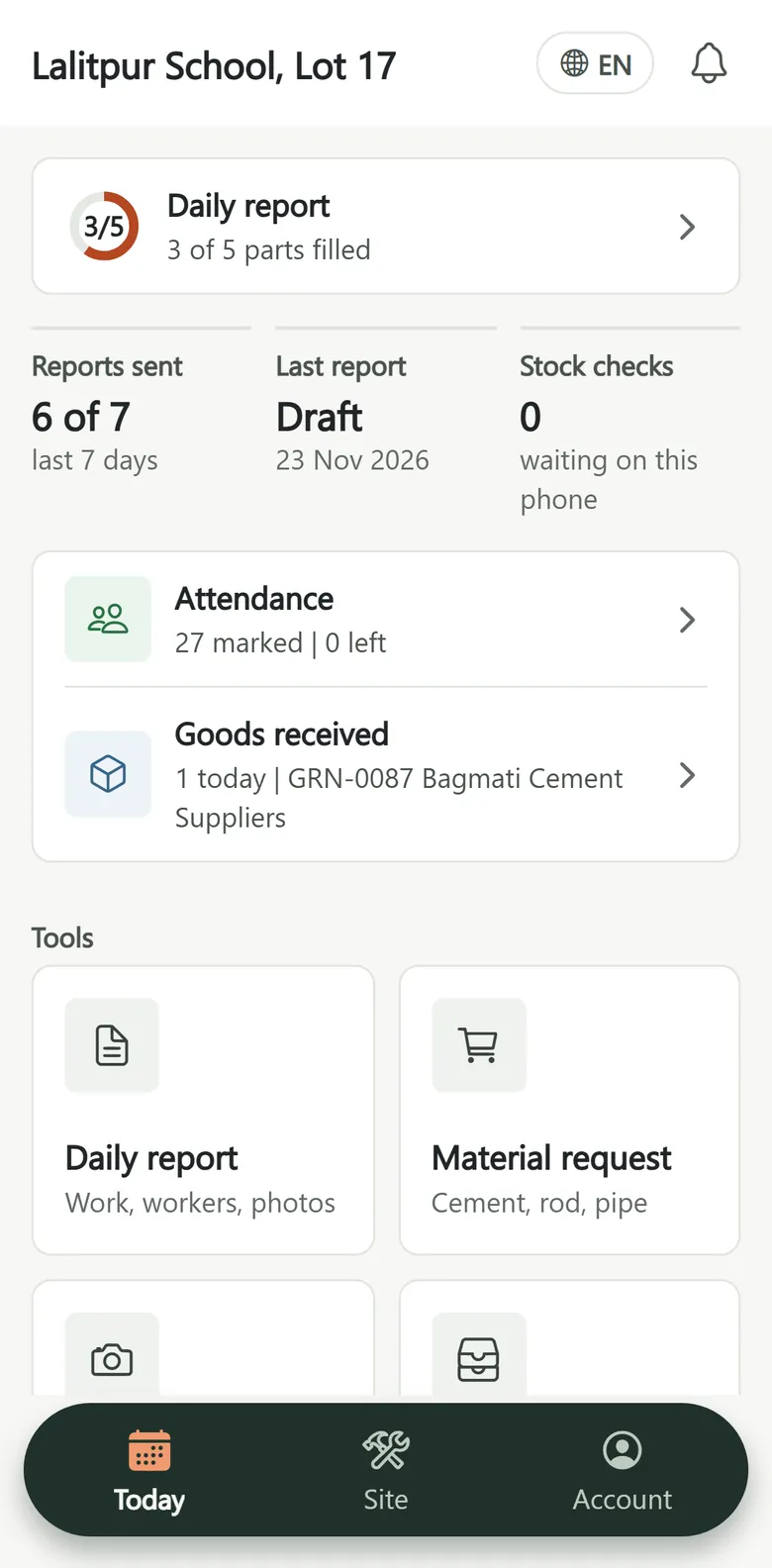
NepalConstruct puts a site engineer's day on one phone screen: today's daily report and how many of its five parts are filled, attendance, goods received at site, and the tools for material requests and stock checks. The engineer fills these in and sends them on; other people check and approve them, and the engineer approves nothing.
- Phone app and web
- Nepali and English
- Works on
- Phone, and the webPhone app built for Android and iOS, store release coming
- Sends
- Daily report, material requestsAttendance cards and stock counts too
- Checks
- Stock left on siteCounted or measured, with photos
- Approves
- NothingSomeone else checks each document
What does a site engineer's day look like?
From the morning attendance to the evening report, on one phone.
- Payroll & compliance
Mark today's attendance
Mark each worker present, half day or absent, with any overtime hours. The marks are kept on the phone and go when there is signal; the month's card is sent from the web.
- Materials & store
Raise a material request
Pick one material, the quantity and the day it is needed. The request goes to the project manager, and the server checks it against the material the BOQ allows.
- Materials & store
Check the stock that is left
Count what is left, or measure a sand or aggregate pile in metres or feet, with live photos and, if your firm allows it, a short video. The check is kept on the phone first, so it works without signal.
- Site operations
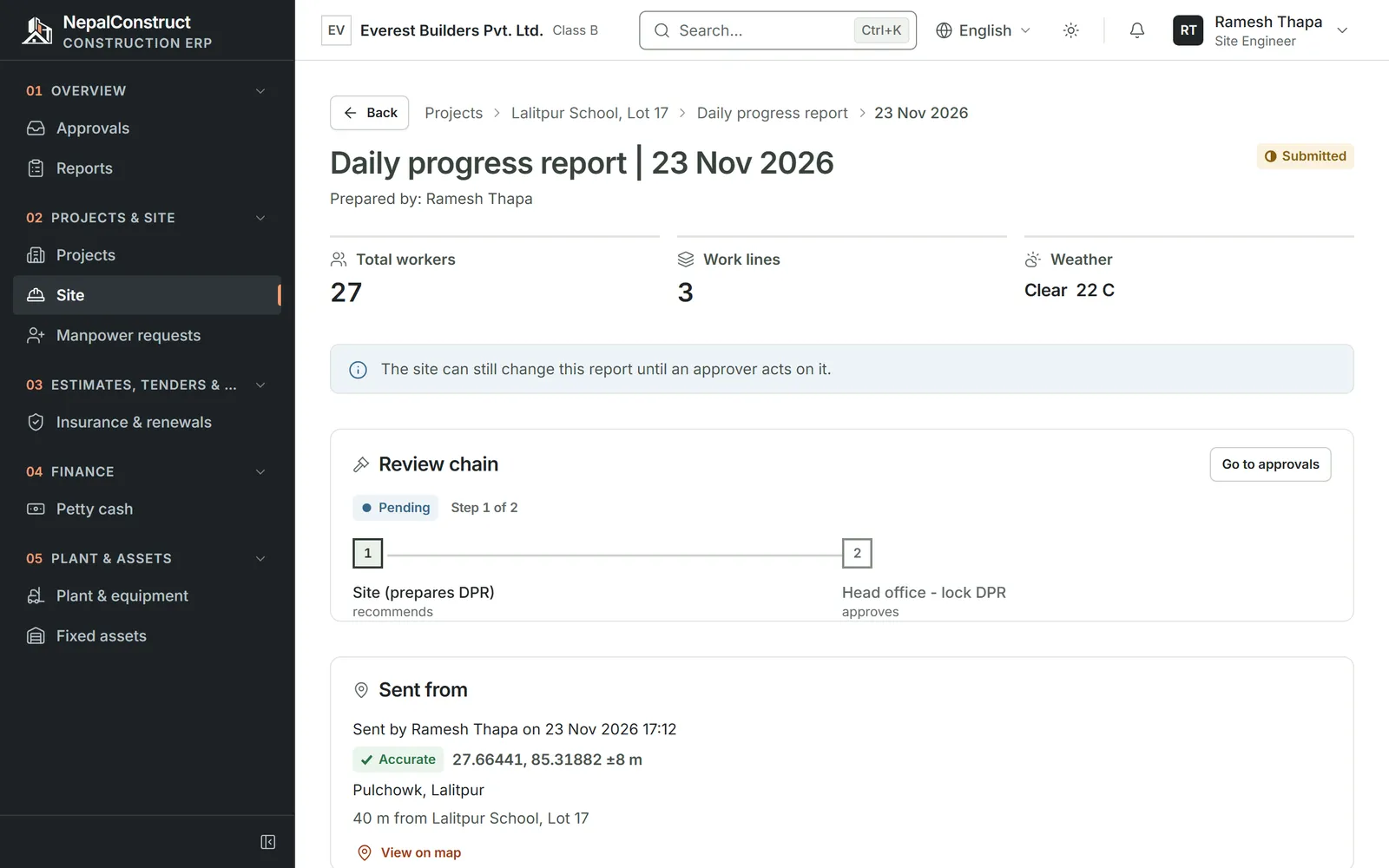
Send the daily report
Enter the work done against BOQ items, workers by trade, machine hours, materials, hindrances and photos, then send it for checking. Where the phone was when you sent it goes with it.
What does a site engineer send?
A site engineer approves nothing. Every report and request they make goes to someone else, because the maker and the checker are always different people.
What a site engineer sends, and where it goes
- Daily progress reportYour stepFills it in and sends it for checkingThenA site checker recommends it, then head office approves and locks it
- Material requestYour stepRaises it; the server checks the BOQ budgetThenThe project manager approves, then procurement picks the source
- Attendance cardYour stepMarks each day on the phone, sends the card from the webThenThe project manager approves; someone else pays it, once
- Stock countYour stepCounts or measures what is left, with photosThenStock changes only after someone who approves material requests signs it off
- Manpower requestYour stepAsks for more workers, from the webThenHR, who manages the team, approves it
The site engineer's step in the starter approval chains. Your firm can change any chain.
A sub-engineer or overseer starts with the same powers, and your firm can rename either role.
Which screens does a site engineer use?
The phone at site, with the same records the office sees.
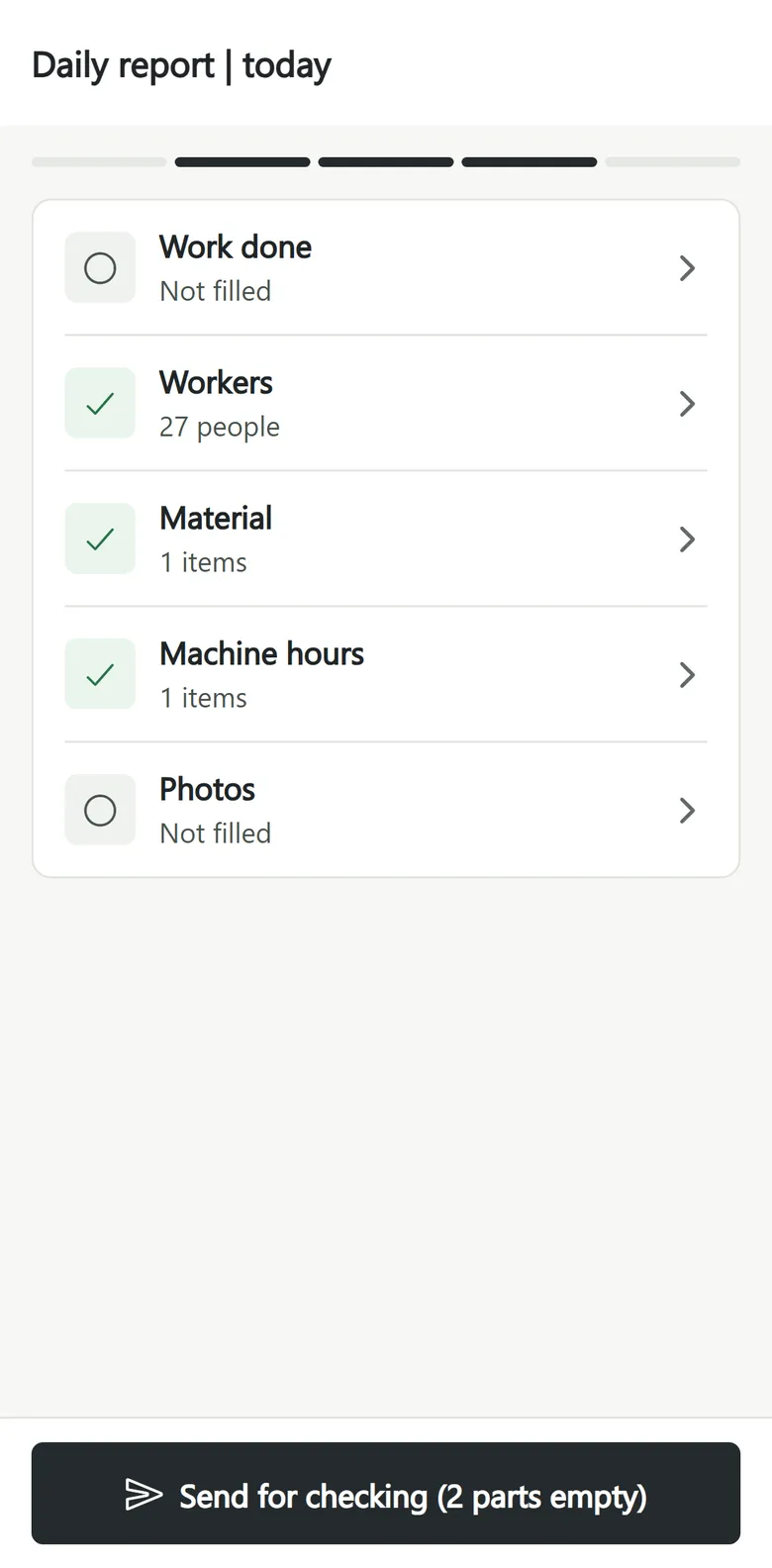
Today's report, part by part
Five parts, each ticked once it holds something. The send button stays at the bottom and says how many parts are still empty.
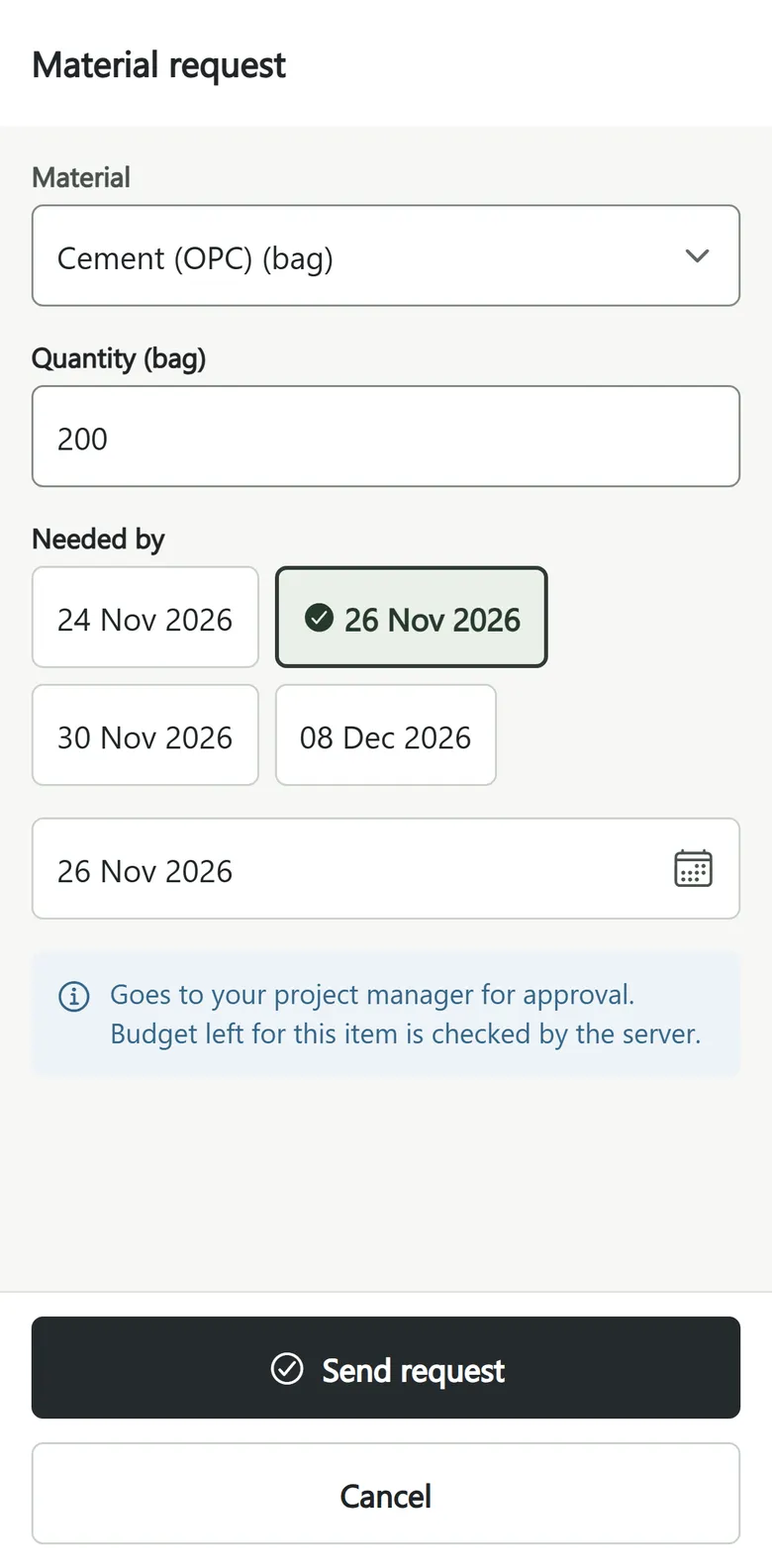
Material request
One material, how much and by when. It goes to the project manager, and the server checks the budget.
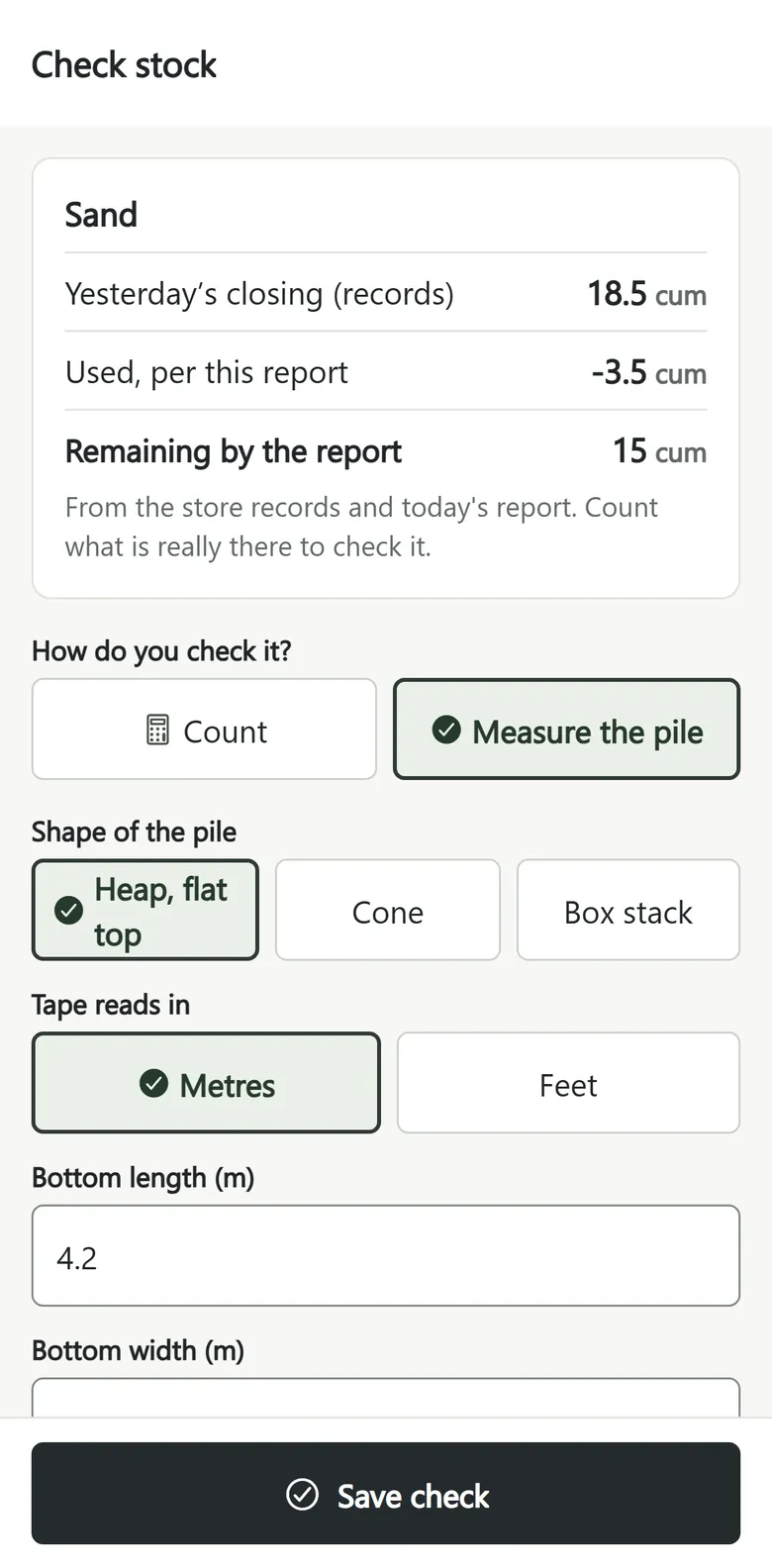
Stock check
Type the count, or measure a pile by its sizes in metres or feet, then add photo proof.
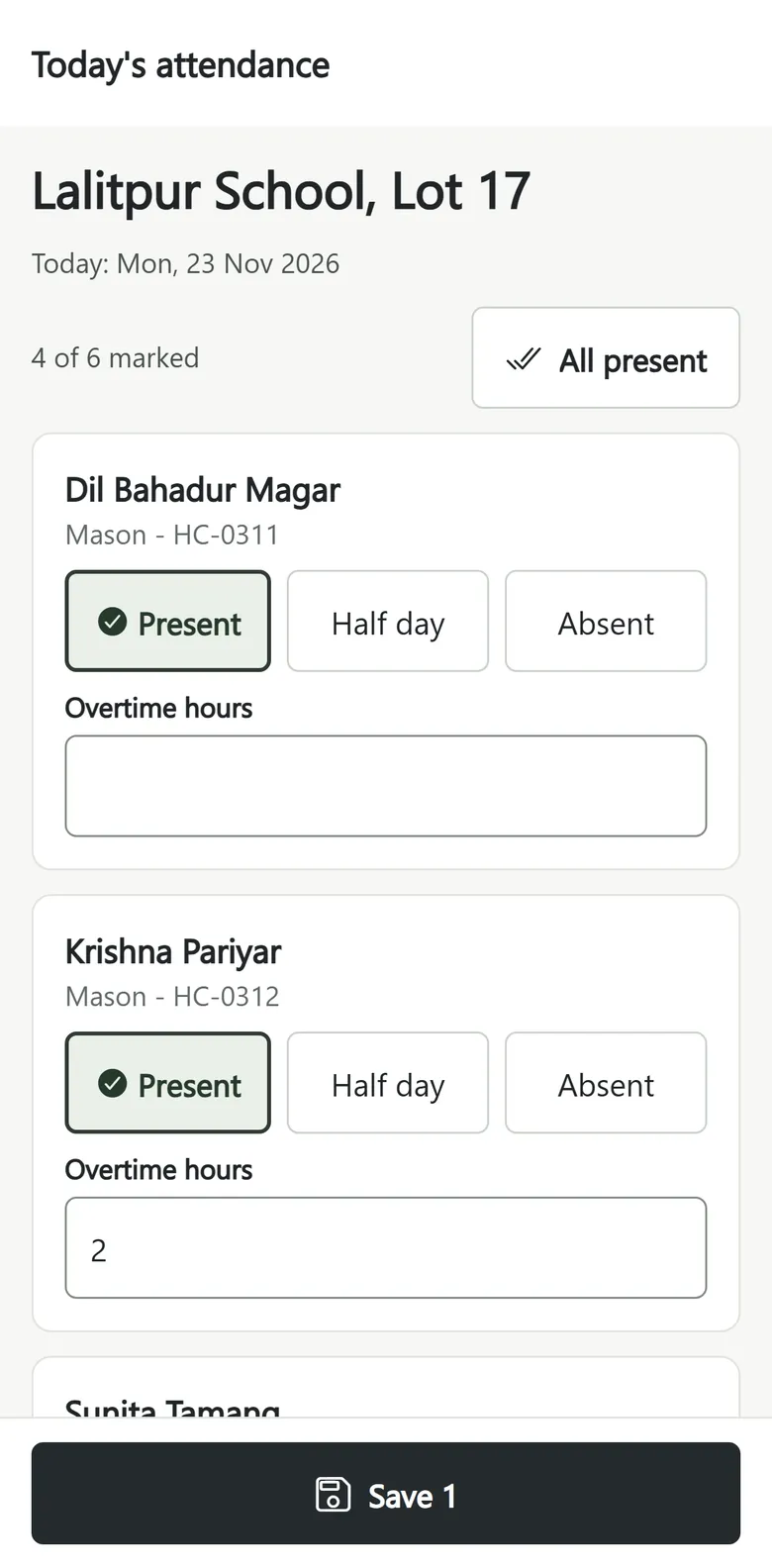
Today's attendance
Present, half day or absent for each worker, with overtime. When there is no signal, the marks wait on the phone.
Modules a site engineer uses
Who does a site engineer work with?
One record of the site, four people's work. The engineer fills it in; the others check it and supply the site.
- 01You
Site engineer
Sends the daily report, raises material requests and marks attendance.
- 02
Project manager
Approves the engineer's material requests and attendance cards.
About this role - 03
Store keeper
Goods they receive show on the Today screen; the stock check compares report use with what the store issued.
About this role - 04
Company owner
Can sign off and lock daily reports, and sees each site's progress worked out from them.
About this role
Questions people ask
Short answers, about what is built today.
01Can a site engineer send the daily report without signal?
No, sending needs a connection, but edits not yet saved stay on the phone. Attendance, stock checks and site notes do work without signal and go when it returns. Our guide shows what goes into the report.
02Does a site engineer approve anything?
Not in the starter role. The engineer fills in and sends; a site checker, head office, the project manager or HR approves, depending on the document. Your firm can change what each role can do.
03Can a daily report be changed after it is sent?
Yes, until the approver acts on it. After the first decision the report is fixed, photos included. A report sent back returns as a draft, to correct and send again.
04How is a material request checked against the BOQ?
The server checks it against the material the project's BOQ allows. A request that would go over is refused, with the material named; only a manager who approves material requests on that project can raise one over the budget. Our guide covers cement and rebar reconciliation.
05Is progress typed in as a percentage?
No. Progress is worked out from the quantities in the daily reports, measured against the BOQ, so the dashboard matches the work recorded at site. The project manager and the owner read the same figure on their own screens.
06Is a sub-engineer or overseer set up differently?
No. The sub-engineer or overseer role starts with the same two powers as the site engineer: daily reports and materials. Your firm can rename either role or change what it can do.
We answer against how your firm works.
Ask usStart estimating the same day
Set up your company profile, a few projects and roles, and start estimating the same day. Or book a demo and see it on a sample firm first.