Schedule
Activities with their critical path, and a saved baseline to compare against.
Schedule, Lalitpur schoolBaseline: contract day
KartikMangsirPoushMagh
Excavation
Foundation
Frame
Finishing
TodayCritical path
One system for the whole contract
From the owner to the site engineer
Learn the work, check the rules
For project managers
NepalConstruct shows a project manager which sites sent today's report, how far each project has got against its BOQ, and what is waiting for their approval: material requests, attendance cards and the bills to check. It runs on the web at the office and on the phone at site, from the same data.
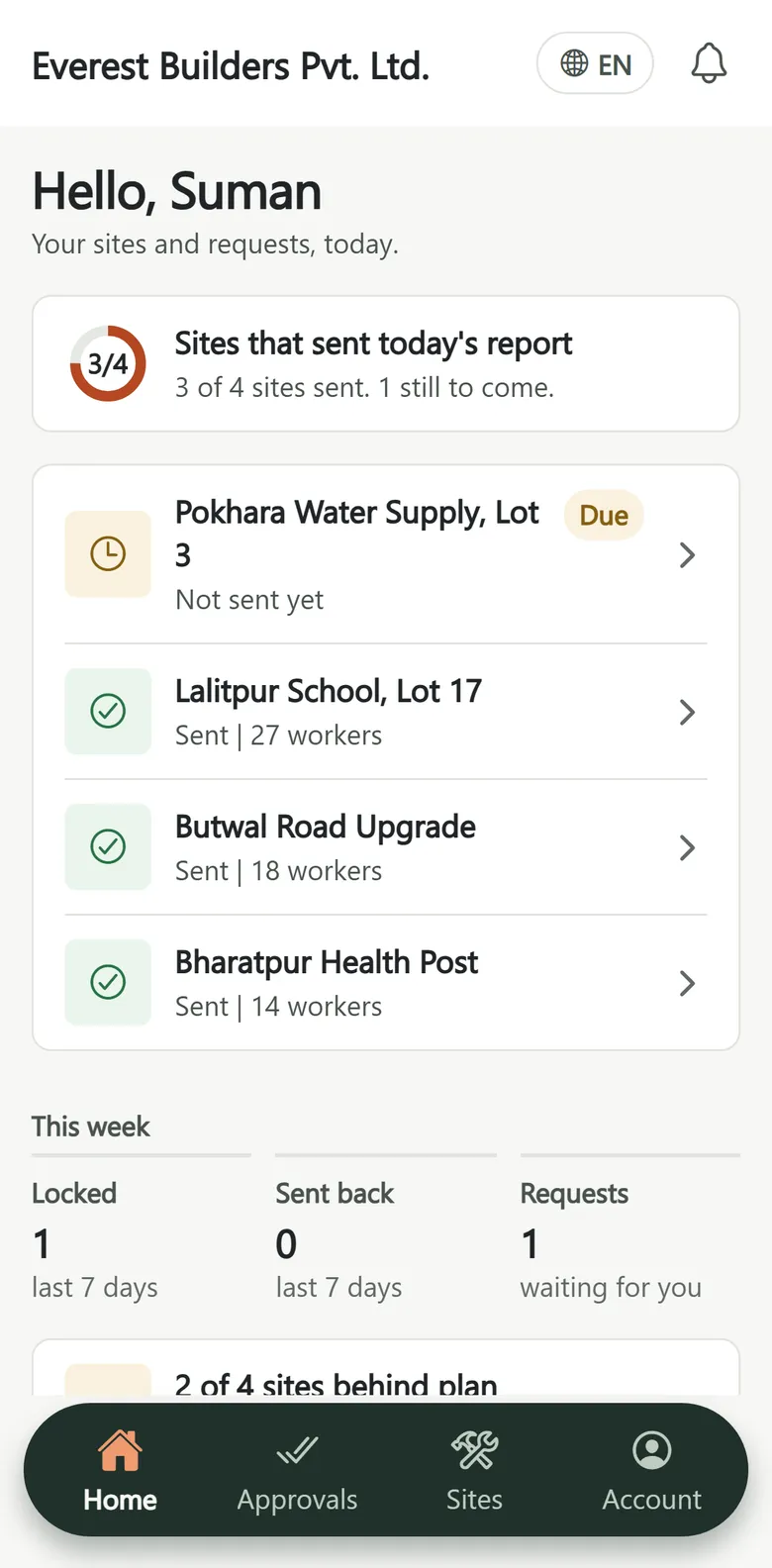
From the morning's site news to the evening's bill, every job from one place.

The home screen shows how many sites sent today's daily report and which sites are behind plan, problems first.
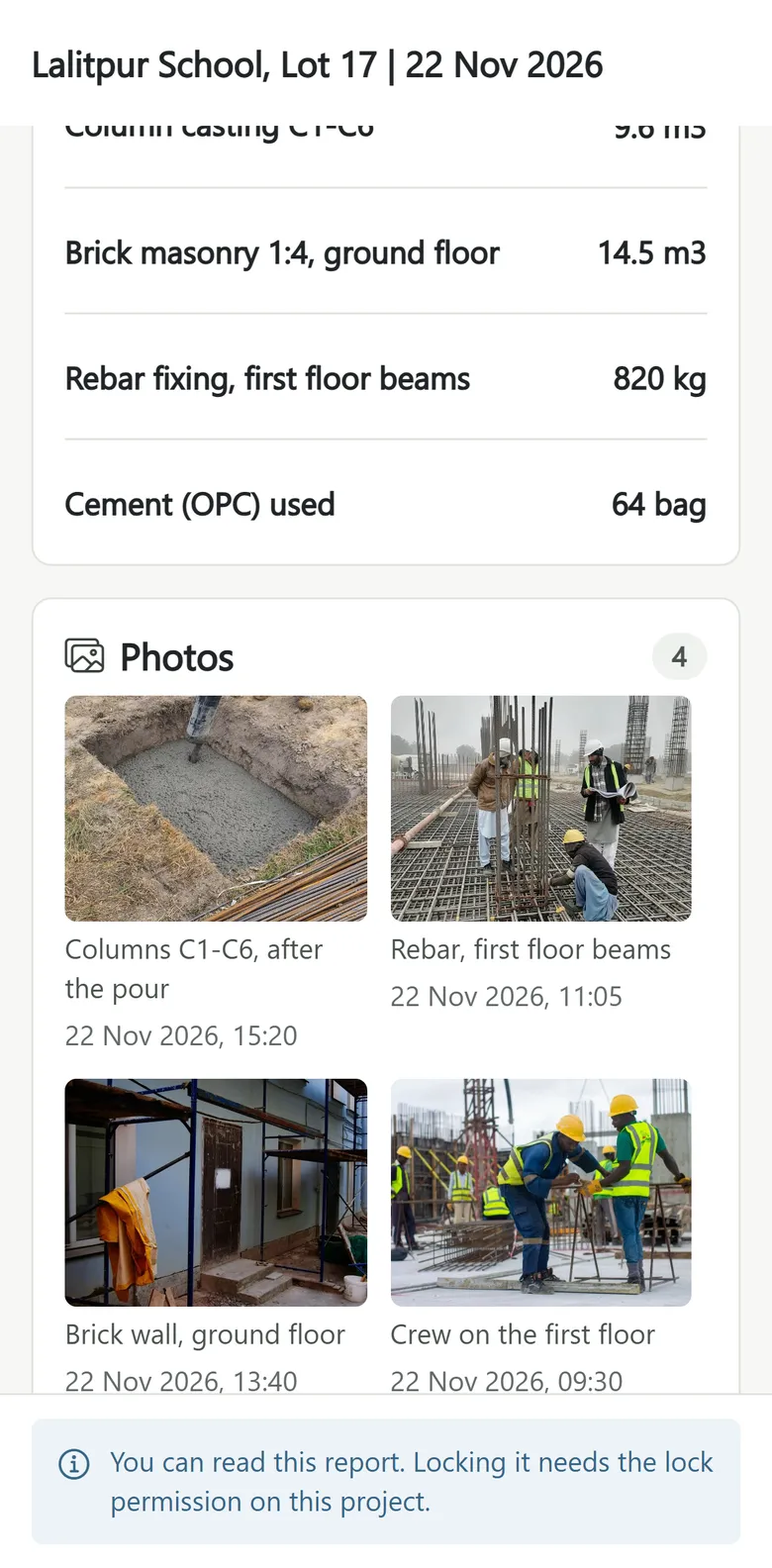
Site operationsOpen a site's report: work done against BOQ items, labour by trade, machine hours, materials, hindrances, and photos, which are fixed once checking starts. You check and recommend it, then head office signs it off.
Site operationsRequests from site come to you first. Approve, reject or send back; larger requests go on to the owner. The BOQ material budget shows in green, amber or red how much of each material the work still allows.
Materials & storeBefore a running bill goes up, check its quantities against the measurement book and daily reports, then recommend it. The cost against budget report shows where a project is spending more than planned.
Measurement & billingThe web at the office, the phone at site. The same figures on both.
Activities with their critical path, and a saved baseline to compare against.
Critical path
Read a report and open its photos while still on site.
Requests, attendance and bills in one list. Decisions made on the phone are kept without signal.
Lalitpur school, Lot 17 | Ramesh Thapa
Cement, 200 bags | Ramesh Thapa
Mangsir, 26 days | Gita Rai
What the BOQ allows against what has been indented so far, wastage allowance included.
BudgetWastage allowanceEvery material request is checked against this limit.
The maker and the checker are different people. Whoever raised or edited a document can never approve it.
The project manager's step in the starter approval chains. Your firm can change any chain.
On leave, a project manager can hand their approvals to a colleague for a set period.
One record, four people's work. Each does their part and hands it on.
Sends the daily report and raises material requests.
About this roleChecks, approves and recommends the bill.
Builds the bill from the measurement book and posts it.
About this roleApproves larger amounts and sees each project's margin.
About this roleShort answers, about what is built today.
Pick software built around how Nepal works: daily reports against the BOQ, the measurement book, PPMO running bills and approvals by amount. NepalConstruct is built for Nepali contractors and covers these on the web and the phone. Our guide to choosing construction software lists the questions to ask.
Yes. Approval decisions made on the phone are kept on the phone and sent when the signal returns. Sending the daily report itself needs a connection, but unsaved edits stay on the phone.
From the quantities in the daily reports, measured against the BOQ. Nobody types a percentage, so the progress on the dashboard matches the work recorded at site. Projects that are behind plan come first in the project list, so the ones that need a look are at the top.
Not in the starter role. A project manager runs projects, daily reports and the material chain and recommends running bills, but cannot certify a bill or change firm settings. Your firm can give or remove sections for each person.
A project manager can hand their approvals to a colleague for a set period. Requests and bills go to that colleague in the meantime, and every decision stays on record with who made it.
Not yet. The phone app is built for Android and iOS, and the store release is coming. Until then the web app also works in a phone's browser, with the same login and the same records the office sees.
We answer against how your firm works.
Ask usSet up your company profile, a few projects and roles, and start estimating the same day. Or book a demo and see it on a sample firm first.