For accountants
Construction accounting software for accountants
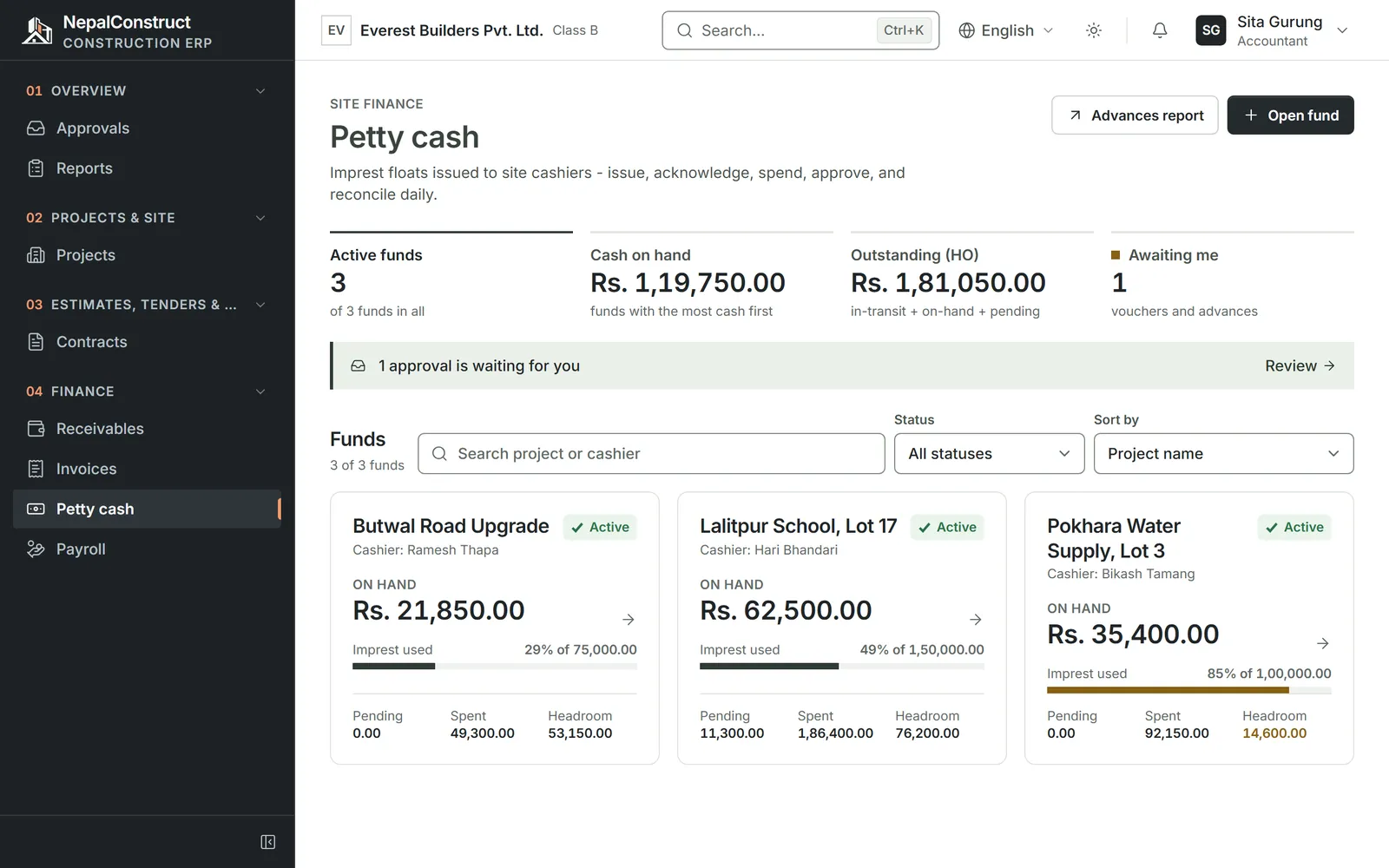
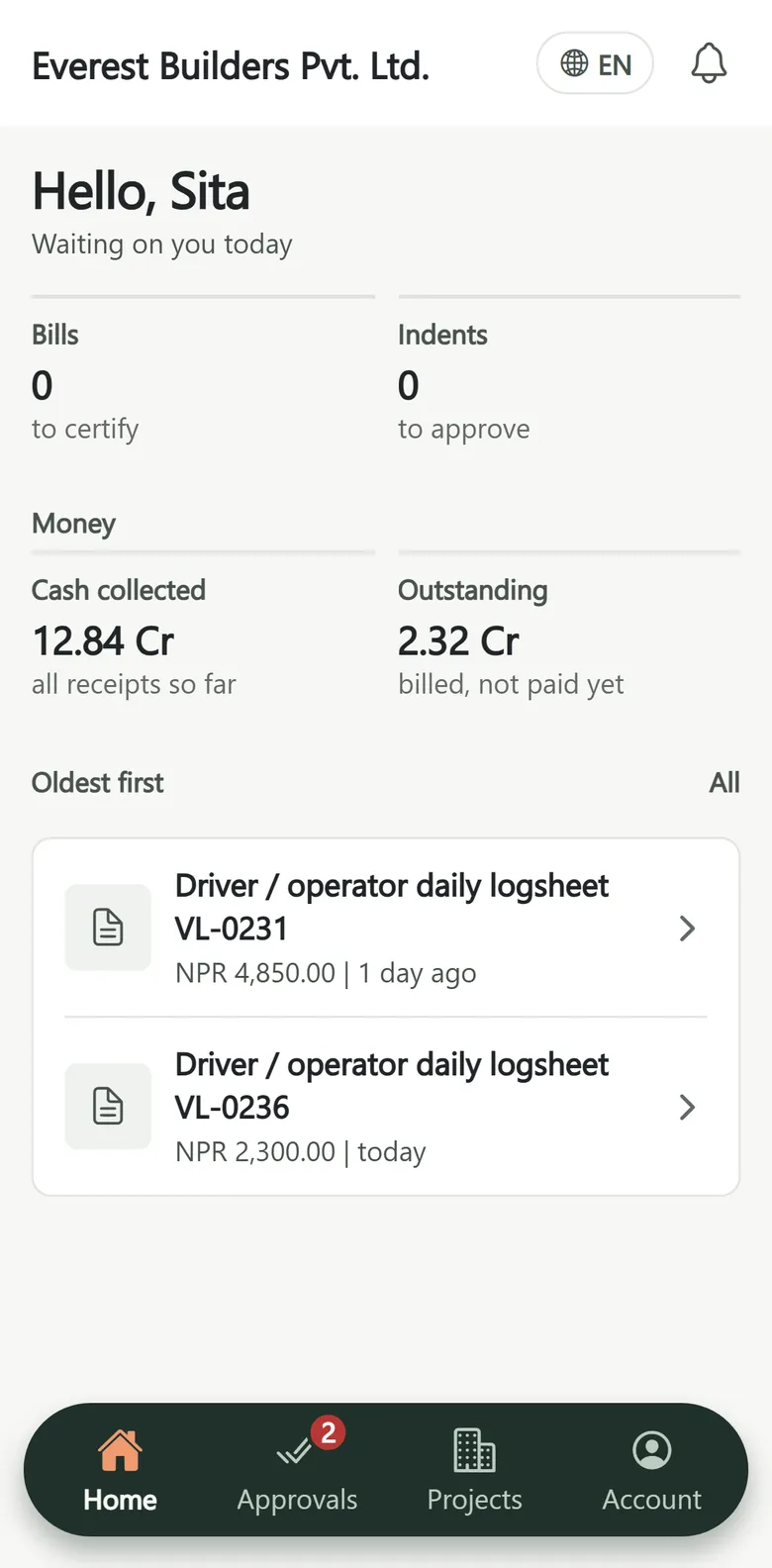
NepalConstruct shows a construction firm's accountant the petty cash vouchers waiting for head office, the running bills to raise from the measurement book, and what each contract still owes. Petty cash, bills and invoices run on the web; the phone shows what is waiting on you and the money figures.
- Web and phone app
- Nepali and English
- Works on
- Web and phonePetty cash and invoices on the web
- Acknowledges
- Petty cash vouchersAfter the site or project step
- Raises
- Running bills, VAT invoicesOthers recommend and approve the bill
- Pays
- Approved attendance cardsNever a card they approved
What does an accountant's day look like?
From petty cash in the morning to receivables in the afternoon, every job from one place.

Acknowledge petty cash vouchers
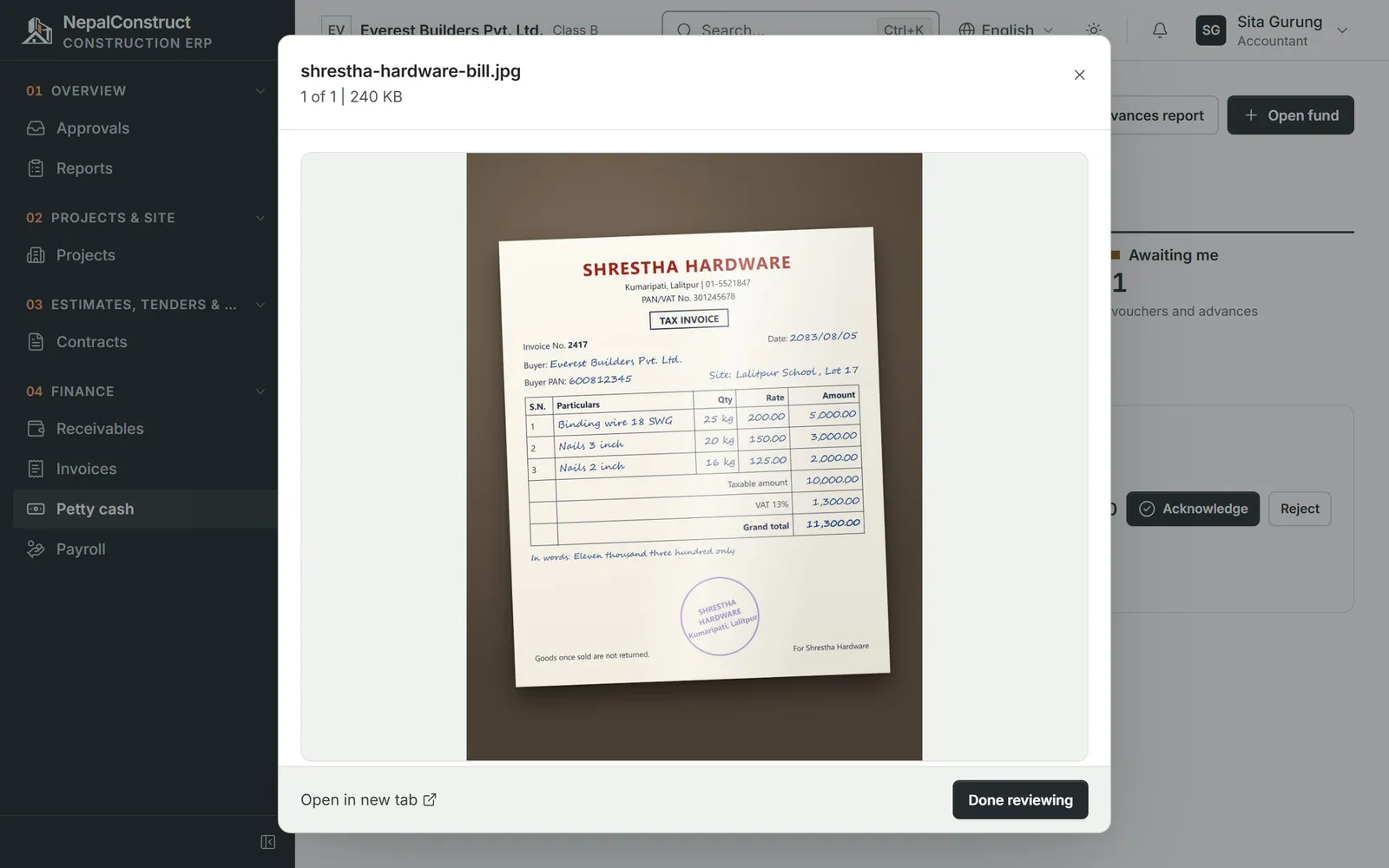
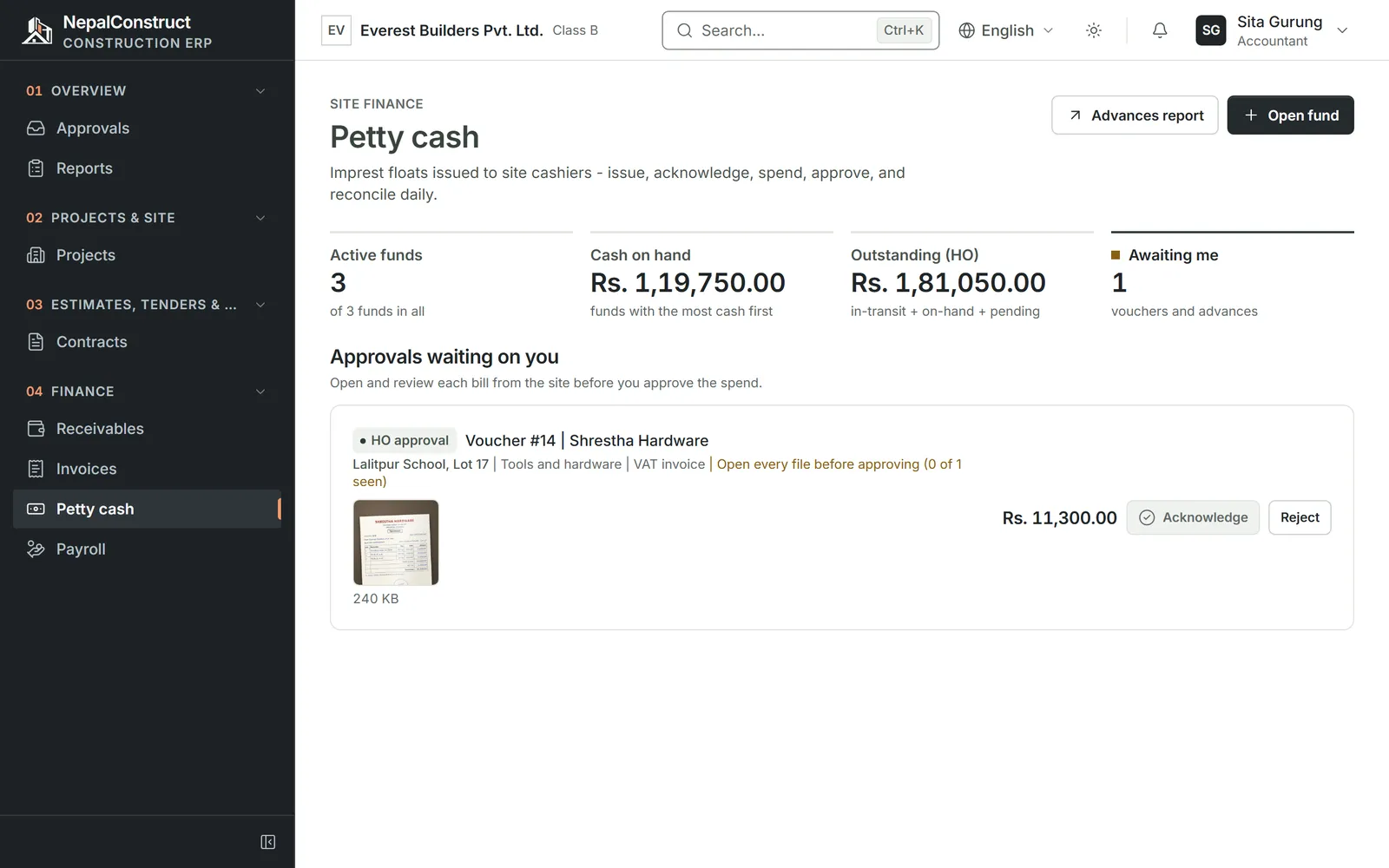
Vouchers the site engineer or project manager has approved come to head office. Open every bill photo first; Acknowledge stays locked until you have.
Petty cashRaise the running bill
Create the bill from the measurement book. It goes to the project manager to recommend, and is certified only when a senior manager approves it. You raise the bill; you do not certify it.
Measurement & billingIssue VAT invoices
Issue a VAT invoice from a certified running bill. Invoice numbers run in order within each fiscal year, with no gaps.
Measurement & billingFollow up what is owed
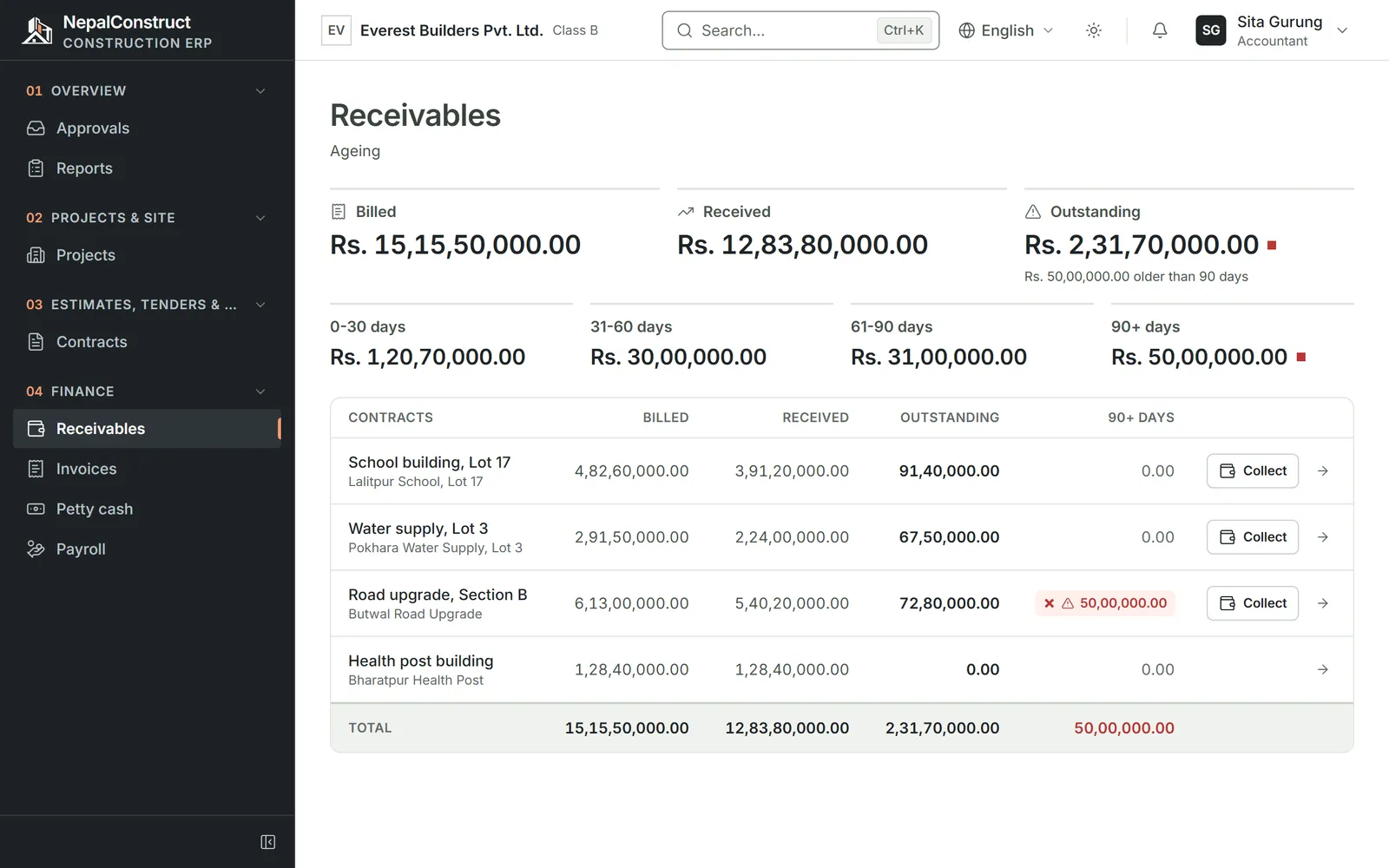
Receivables split each contract's unpaid amount into 0-30, 31-60, 61-90 and over 90 days. A receipt you record posts to the ledger and brings the amount owed down.
Measurement & billing
What does an accountant approve?
The maker and the checker are different people. An accountant who raised, edited, sent or approved a voucher at the project step cannot acknowledge it.
What comes to an accountant, and where it goes next
- Petty cash voucherYour stepAcknowledges for head office, after opening the billThenThe expense and input VAT post to the fund's books
- Attendance cardYour stepPays the approved card once: cash, bank or walletThenThe card is marked paid; its approver cannot pay it
- Running bill (IPC)Your stepRaises it from the measurement bookThenPM recommends, a senior manager approves, then it is certified
- Driver's day paid from own cashYour stepApproves what the firm owes the driverThenThe PM too, when maintenance bills reach your firm's amount
- VAT invoiceYour stepIssues it from a certified billThenNumbered in order within the fiscal year, no gaps
The accountant's step in the starter approval chains. Your firm can change any chain.
Who approves a voucher at the project step depends on its amount: the site engineer for small ones, the project manager above that. Your firm sets the limits.
Which screens does an accountant use?
Petty cash, bills and receivables on the web. What is waiting and the money figures on the phone too.
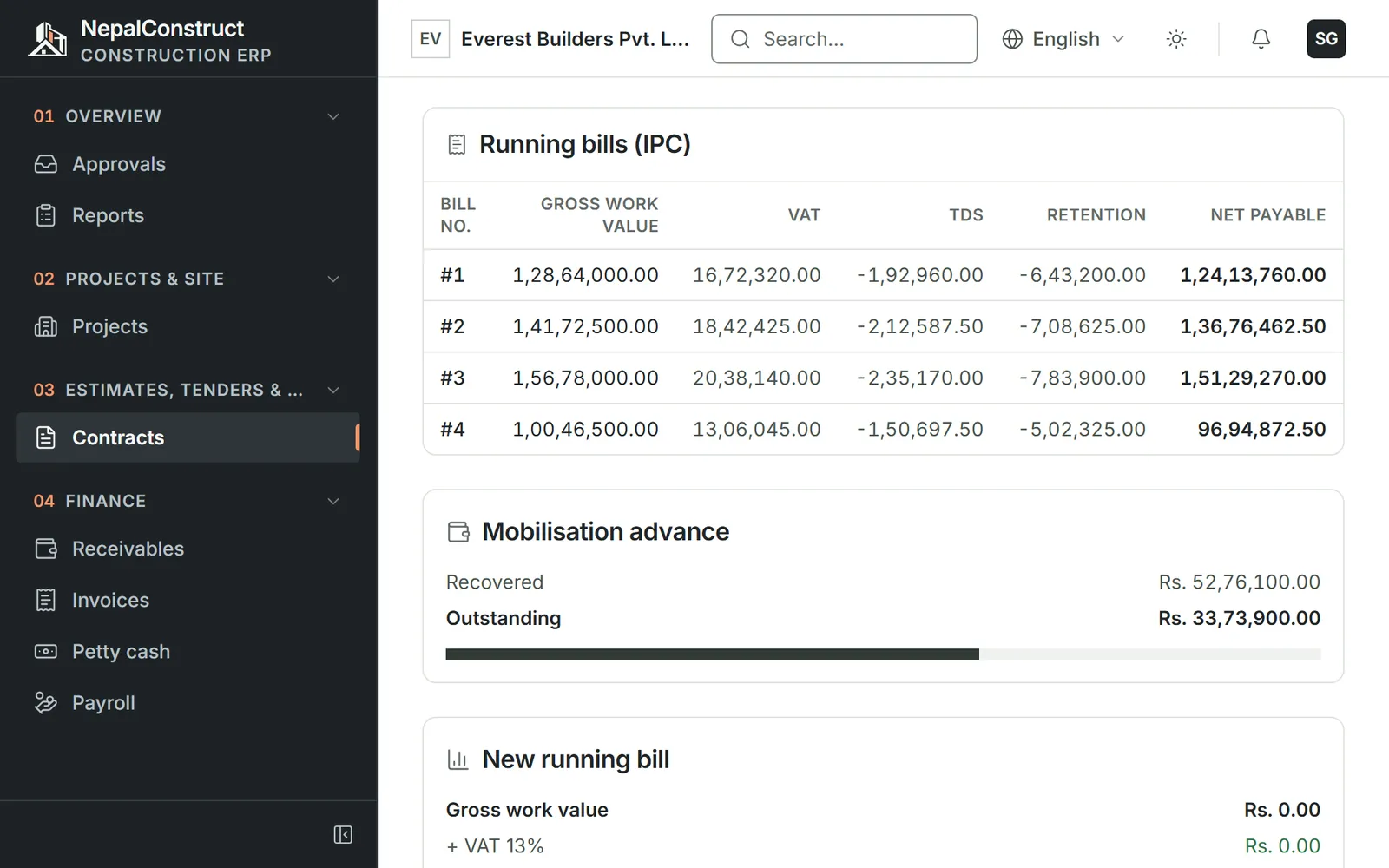
Running bills
Each bill's gross work value, VAT, TDS, retention and net payable in one table.
The bill photo first
Acknowledge unlocks only after you open the bill photo the cashier attached.
Receivables ageing
What each contract still owes, by how many days it has been waiting.
Head office approval
Vouchers that have passed the project step, with their bill photos and amounts.
Who does an accountant work with?
One voucher or bill, four people's work. Each does their part and hands it on.
- 01
Site cashier
Raises the voucher with the bill photo; it goes to the project step.
About this role - 02
Project manager
Approves vouchers and attendance cards, and recommends running bills.
About this role - 03You
Accountant
Acknowledges vouchers, pays cards, raises bills and invoices.
- 04
Senior manager or owner
Approves the running bill, which certifies it.
About this role
Modules an accountant uses
- Measurement & billingRunning bills from the measurement book, the ledger and receivables.
- Payroll & compliancePaying approved attendance cards and building payroll runs.
- Approvals & organisationMaker and checker are different people, and every decision stays on record.
- AnalyticsCash collected and still outstanding, firm-wide.
Questions people ask
Short answers, about what is built today.
01Can an accountant acknowledge a voucher they edited?
No. Anyone who raised, edited, sent or approved the voucher at the project step is refused, so the head office check is always done by someone else. The voucher waits in the head office list until another person with cash rights acknowledges it.
02Where do the VAT and TDS rates come from?
From dated tax settings, looked up by the bill's date. Each bill keeps the rates it used, so a later rate change does not alter an earlier bill. The contract's bill list shows each bill's gross value, VAT, TDS, retention and net payable.
03Can an accountant certify a running bill alone?
Not under the starter chain. The accountant raises the bill from the measurement book, the project manager recommends it, and it is certified only when a senior manager approves it. If your firm turns that chain off, the bill is certified as soon as it is raised.
04Does NepalConstruct send invoices to IRD CBMS?
Not yet. VAT invoices are issued from a certified bill, with numbers that run without gaps in each fiscal year, and the invoice list shows a CBMS status for each one. The connection that sends them to CBMS is coming.
05Who pays site wages?
Once the project manager approves an attendance card, the accountant pays it once: in cash, by bank or by wallet, with a reference. Whoever approved a card cannot pay it, and sending the same payment again does not pay twice.
06Is there a phone app for accountants?
Yes. The phone has an office home with the approvals waiting on you and the cash collected and outstanding. Petty cash and invoices are on the web only. The phone app is built for Android and iOS, and the store release is coming.
We answer against how your firm works.
Ask usStart estimating the same day
Set up your company profile, a few projects and roles, and start estimating the same day. Or book a demo and see it on a sample firm first.